[SteemRewarding] ルールを登録するための準備
こんにちは、@yasuです。
自動でUPVOTEしてくれる機能を持ったサイトに、SteemAutoがありますが、今回は、SteemRewardingを紹介します。
SteemRewardingはSteemAutoに比べてもとても細かい設定ができます。
今回はその中でも、タグを条件にできるため、使ってみました。
例えば、PALNETサイトに露出した投稿を対象にUPVOTEするためには、palnetをタグの条件に加えます。
ところで、
このSteemRewardingを利用するまえに準備しておくことがあるので、説明します。
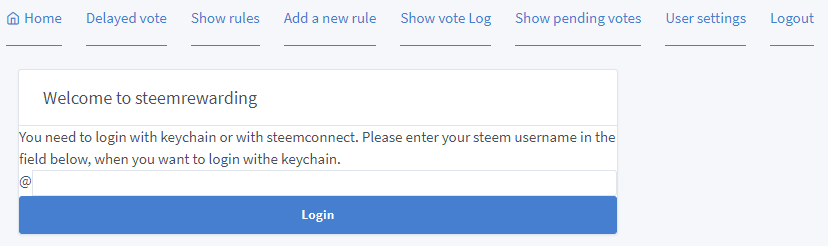
SteemRewardingサイトを開きます。
Steemitのアカウント名を入力して、ログインします。
Rewardingを認証します。(この段階では未認証)
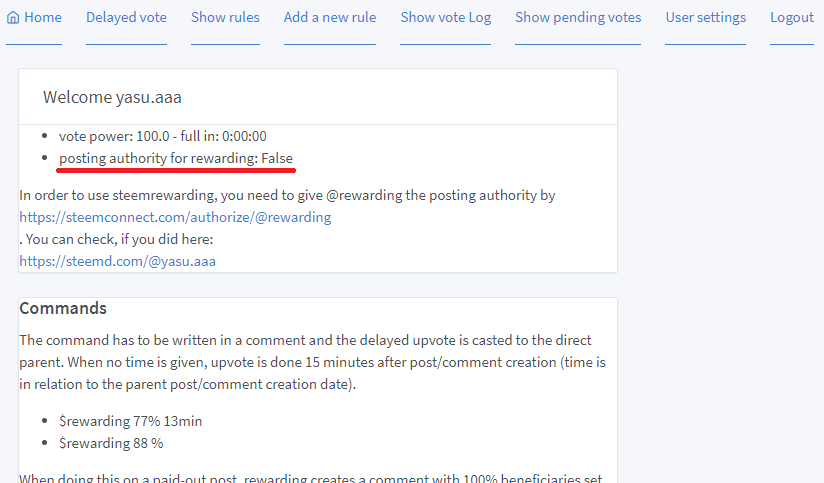
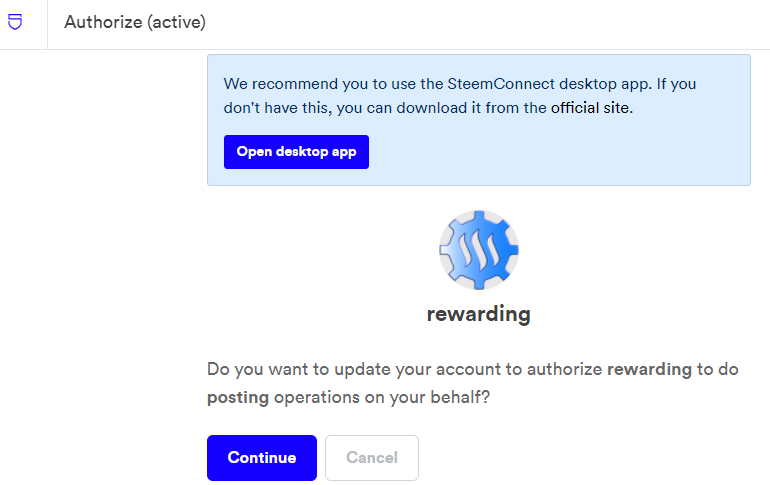
Rewardingの認証を始めます。
https://steemconnect.com/authorize/@rewarding
ここではアクティブキーを入力します。
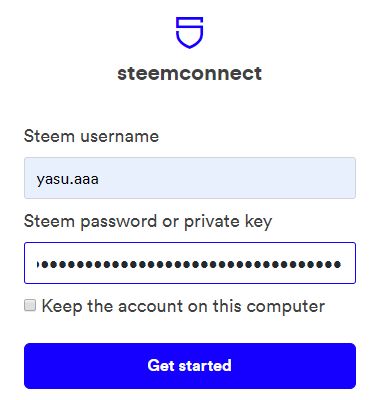
Rewardingの認証を完了させます。
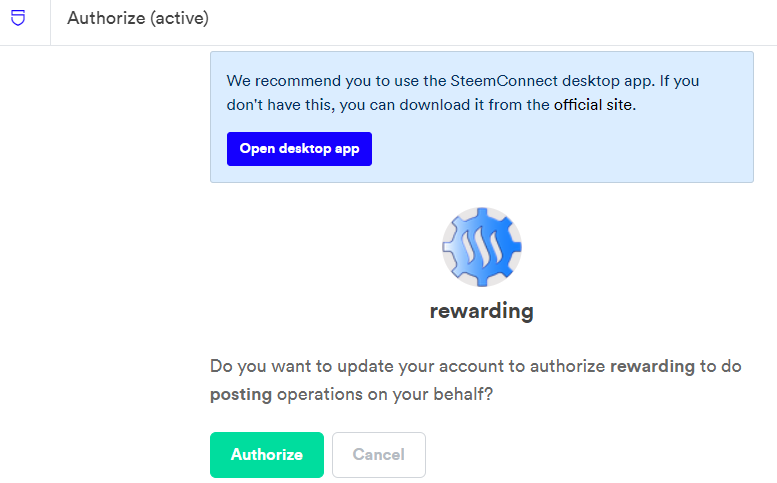
ふたたび、SteemRewardingサイトを開きます。
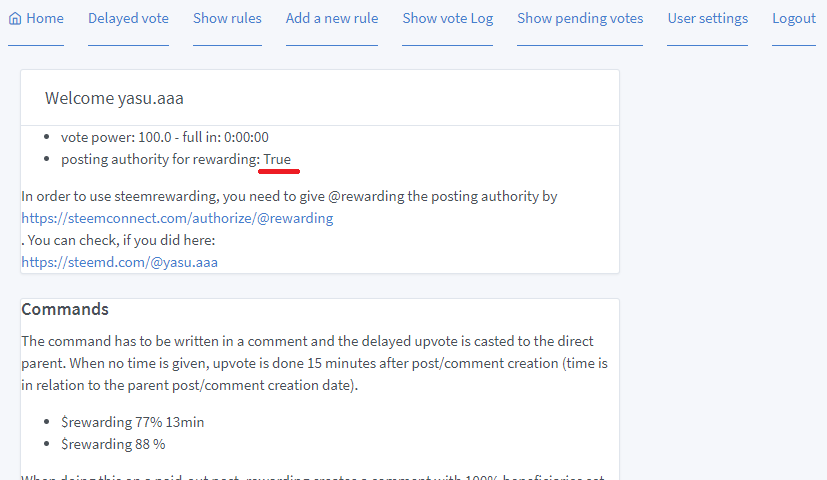
これで準備が完了しました。
このあとにルールを追加します。
参考記事
- steemrewarding.com - a new feature rich auto voter
https://steemit.com/utopian-io/@holger80/steemrewarding-com-a-new-feature-rich-auto-voter
Congratulations @yasu! You have completed the following achievement on the Steem blockchain and have been rewarded with new badge(s) :
You can view your badges on your Steem Board and compare to others on the Steem Ranking
If you no longer want to receive notifications, reply to this comment with the word
STOPTo support your work, I also upvoted your post!
Vote for @Steemitboard as a witness to get one more award and increased upvotes!
Thank you for your continued support towards JJM. For each 1000 JJM you are holding, you can get an additional 1% of upvote. 10,000JJM would give you a 11% daily voting from the 700K SP virus707 account.