A magic finger.
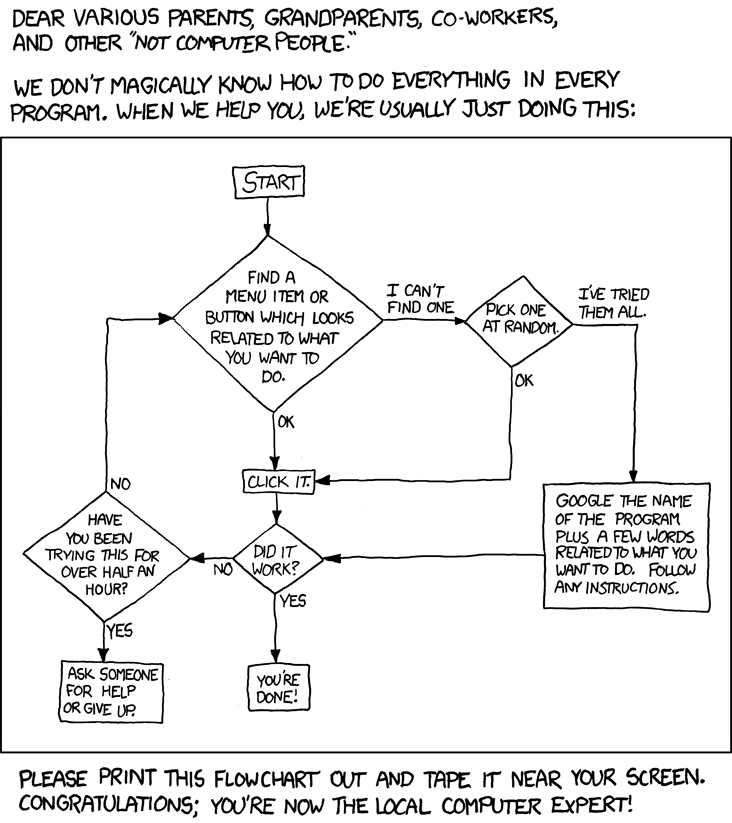
When you see this image, probably you can already expect some context of this post :) Click on the image for the source.
Just now, one of my friends failed to boot his computer- it just won't boot. Not a Windows issue, no signs of viruses (he has common sense), but the BIOS just doesn't recognize his disks and every boot would throw him into the BIOS instead of booting Windows up properly.
Obviously, it is frustrating because from what Google told him, he got a dead hard disk. The second worst thing you can hear apart from a dead MOBO, or probably the worst, because god knows what he has in it. But no matter what, you are going to pay a lot if either of these broke down. Most possibly hundreds of MYR, and probably a couple of hundreds more for the data recovery if the hard disk is really dead.
He said that on one of my Discord servers and gave a picture of it. Basically, it's just a computer screen with a BIOS page.
Yea...I always go out of context.
But as someone that sticks his face on screens for approximately 12 hours a day, I feel that having a hard disk dying randomly is pretty strange...probably something else happened. Probably he shocked the table and the SATA cable unplugged itself. Anything can happen in this world, Murthy's Law is a thing. Of course, this means that the hard disk could have set itself on fire, but I don't really want to consider this because it's quite unlikely. For me, the only possibility for this to happen is that some short circuit happened and it only affects the drive. Highly unlikely.
Then I recalled something...
There is something you cannot see on the motherboard...
...but you know them with the name "static electricity".
I first learnt about it when the exact same thing happened on my desktop (strictly speaking it's not mine, it's a shared computer in the house). The thing just won't boot, not even dropping me into BIOS. It powers on, spins the disk drive for a moment, then stops working, automatically reboot, and do the same. I opened up the box, trying to find whatever thing that could happen to it. I expected to find some dead wires, but what I see is only dust. A lot of dust. That's what everyone should expect to find from a desktop CPU that is not cleaned for 2 years anyway.
After examining everything inside and cleaning myself up, I find nothing wrong except for the hilarious amount of dust. I closed the thing and plugged it back, decided that I will just send this thing to some technician tomorrow. Then under natural reaction, I pressed the power on button right after plugging it back. Don't ask me why I did that, but the thing did boot. A pleasant surprise.
I went and did a little study on what might be the cause of it, and Google told me that sometimes motherboards will have a boatload of static electricity on them for whatever reason. Static electricity could make your box malfunction, and you can easily solve it by discharging them from your machine.
All it takes is a simple touch after unplugging it.
And, I recalled that the motherboard has an anti-static electricity feature. That's mildly interesting.
It does not hurt to experiment it
Especially when they are kinda desperate and the experiment does not cost a thing.
So what I told him to do is, open up the box, and touch every single thing in there with a screwdriver (because obviously, I can't tell him to do it with a finger, that just sounds like joking). In fact, whatever method that discharges the static electricity would work (if there are any).
Hid some explicit terms, this is a typical teenage chat.
And yes I'm not lying, it did work for one of my other friends. And he uses a finger despite he has a screwdriver beside him which he used to open up his laptop. Guess it's just a little more convenient.
So he did it while we continued the chat. A couple of minutes later.
Actually, it surprised me that it works on his case too. That means this issue is a little common to everyone. He almost sent his PC to a technician, but yea, a finger saved his money.
...and I managed to ask him for his wallpaper as a reward. Kappa.
Another one in my collection. I can never have enough wallpapers :> What's better? A reverse image search tells me that the image is from this DeviantArt page. Great, time to download a ton of them ;D
Even better? The uploader of these images did not own these images, but he gave sources to them. So you know what I did, went and crawl through the pixiv pages and discovered a ton of good stuff. So, you know why people care about sources. Remember to give them.
Alright, now I really drifted a little too much out of context...let's get back to topic. The verdict of this story? Learning more never hurts. There's one guy on the same server which has a bunch of knowledge about skinning in the game osu!. That sounded like some useless knowledge but today he also helped me to figure out a bunch of stuff on customizing the game. Not that useless anymore, I guess?
That wraps up, see you next time~
--Lilacse
Most asked questions from IT support: "Did you press the restart button?"
@tipu upvote this post with 0.2 sbd
"Did you try turning it off and on again?" This never gets old lmao.
Thanks for the tip <3
Magic finger touch! Statistical Power electricity! Beware the IT technician will run out of job soon. 😆
Probably they will also decide to touch it and charge RM50 for it :D
Great Story telling! And i learnt something new today..
Imagine that a PC technician probably do things like this day in day out, taking in a rig, do what you did all in 10 minutes, put it back together then wait 2 days before calling the customer to inform him "I have just done major repairing on your computer, please pay RM100+labor upon collection".
Most of the time goggling an issue or remembering hacks really will save cost rather than outsourcing to professionals.
A new wallpaper really is a cheap price to pay for what is basically a "technical consultation" hahahaha..
Can confirm, Googling helps most of the times :D and simple life hacks like keeping a Windows installation CD can also save you hundreds over time. You'll never know when you have to reinstall :)
It's okay, I spent nothing to fix his stuff, 0 investment -> some return -> profit! xD
aww man... My windows copy is OEM, does that mean im screwed?
If your computer comes with a recovery partition, just use it :)
Else, having a retail copy works too. Mine is also OEM, but I nuked it right away with my school's Windows installation CD. Windows 10 Pro vs Home edition, why not :P
I remember setting up a recovery partition but that was years ago.
Hahahaha i also ever tried "nuking" an OEM OS to linux. At that time was trying Kali. cool experience but im nowhere near Mr Robot though lol.
If only Linux has better support for NVIDIA drivers 😭
Wow. Never ever knew that. So gonne give this a go next time if it happens to me. Thanks for the tip @lilacse! And thanks for joining us on the show last night to share your post!
It doesn't happen all the time, but if your computer suddenly malfunctions for no reason, this might be :)
It was a great time with you guys on the show! Looking forward to what you guys have to offer two weeks later ;D
Wow, this is very good story telling! :O
If you recall your tales like this every time, I'm sure to search every post you publish just for them! :O
Thanks a lot for this post, and the very interesting, actionable fact! :D
Thanks! Glad that you like it, I love to write tales here and there...either it's my own little imagination or things that happened to me. There are a bunch of them every day :>
So right now, you should know the first thing to try upon having a similar issue :)
And here's a bonus.
:)
Earn daily income on steem: @tipU distributes 100% profit and additional 60% curation rewards to all investors and allows to automatically reinvest selected part of your payout.
Your post has been featured in TeamMalaysia TehTarik Sunday ! Keep on steeming ... here is a small tip!
Hi @lilacse! You have received 0.1 SBD tip from @myach!
Chck out this new post from @myach: Click. Feel free to follow @myach if you like it :)
Earn daily income on steem: @tipU distributes 100% profit + 60% curation rewards to all investors.