How To: Create a Waves Paper Wallet
](https://cdn-images-1.medium.com/max/2000/1*Z4gmAYZY6LXrQnMZLgNDXg.png)
A paper wallet is a piece of paper that has the private key and recovery phrase for a cryptocurrency on it. The paper usually features a QR code of the address for easy access to sending cryptocurrency to it. Wallets are used to sign transactions and validate that the private key is associated with the coins you are trying to send. So, if you are only receiving bitcoins, a paper wallet is handy since it has the backup information to input into a wallet if needed and can offer better security than online accounts. When you are looking to send cryptocurrency, you can download a wallet and then upload your recovery phrase or private key, and the wallet can help sign your transactions. Hackers cannot steal your private key information when it is on a paper wallet since it is not connected to the internet; however, paper wallets should be used with caution. If you lose your piece of paper, you will lose your coins, so it is suggested that the piece of paper be held in a fireproof lockbox.
Introduction:
Today we are going to go over waves paper wallets through the site waveslitewallet. You must follow each step in order and take the necessary precautions as paper wallet security is held entirely in your hands.
Steps to create:
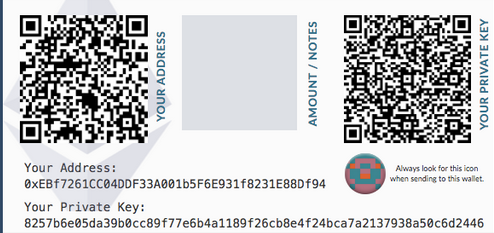
Step 1: (Optional) You can print out a piece of paper and model your waves paper wallet after it. It is crucial to be able to distinguish your private key from your public address, and adding a QR code is a nice touch.
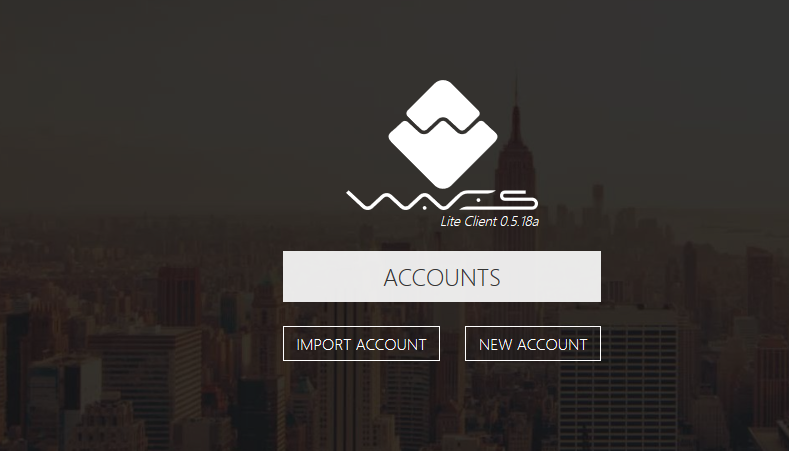
Step 2: Go to the official website and click on “New Account,” which is the right-hand button.
Step 3: You will have to accept a pop-up screen by clicking “I Understand.” Now on the screen, you will see your recovery phrase, which should be written down on your paper wallet. The words need to be written in order as this will matter when you input them on a wallet later.
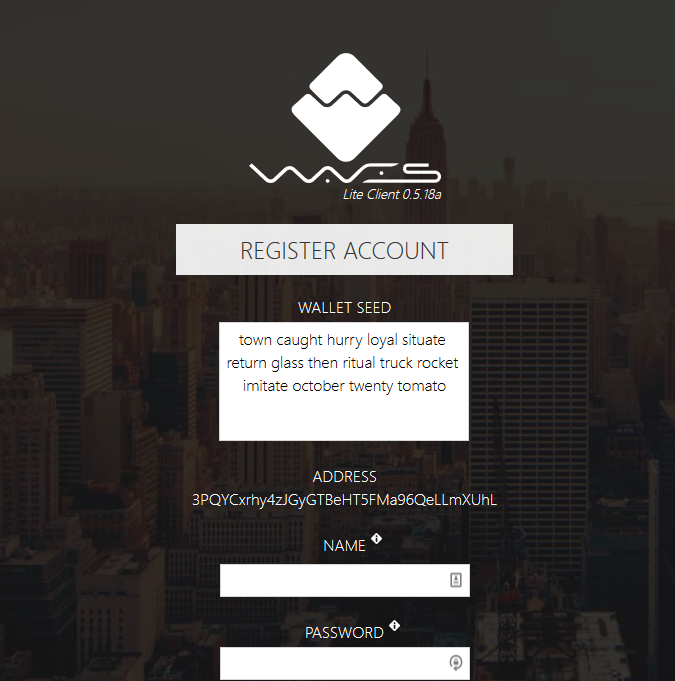
Step 4: You will also notice your address is located on this screen, in which you can write it down on your piece of paper as well. You can even create a QR code based on this address if you have mobile wallets that would be sending cryptocurrency to your paper wallet.

Step 5: Now, we must fill out the name and password on the screen to create an account. You can choose to write this down or disregard them if you plan on using the recovery phrase with another wallet. To finalize everything, click “Register” at the bottom left, and you are done. 🎉Congratulations🎉 on making a waves paper wallet!
Conclusion:
Paper wallets are great for maximum security without paying for hardware wallets. Now instead of plugging your hardware into your computer to send, you can connect your recovery phrase into a wallet that supports waves, and you can transact that way. You should always have a backup of your sensitive crypto information, and it is recommended that this information is stored in a safe that is fire and water-resistant.