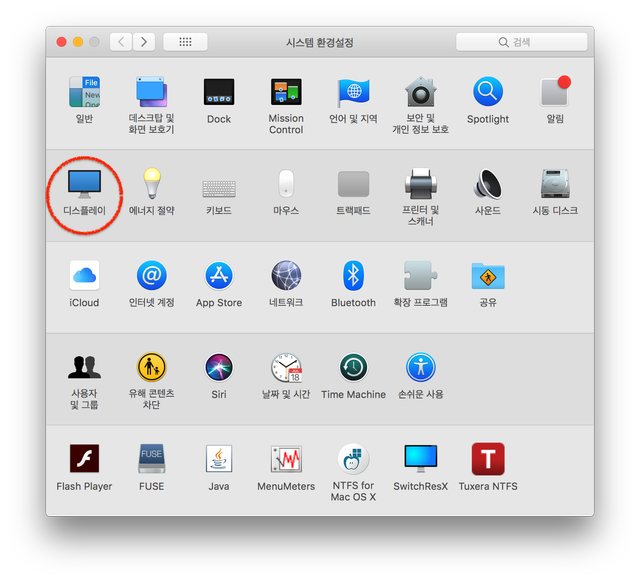
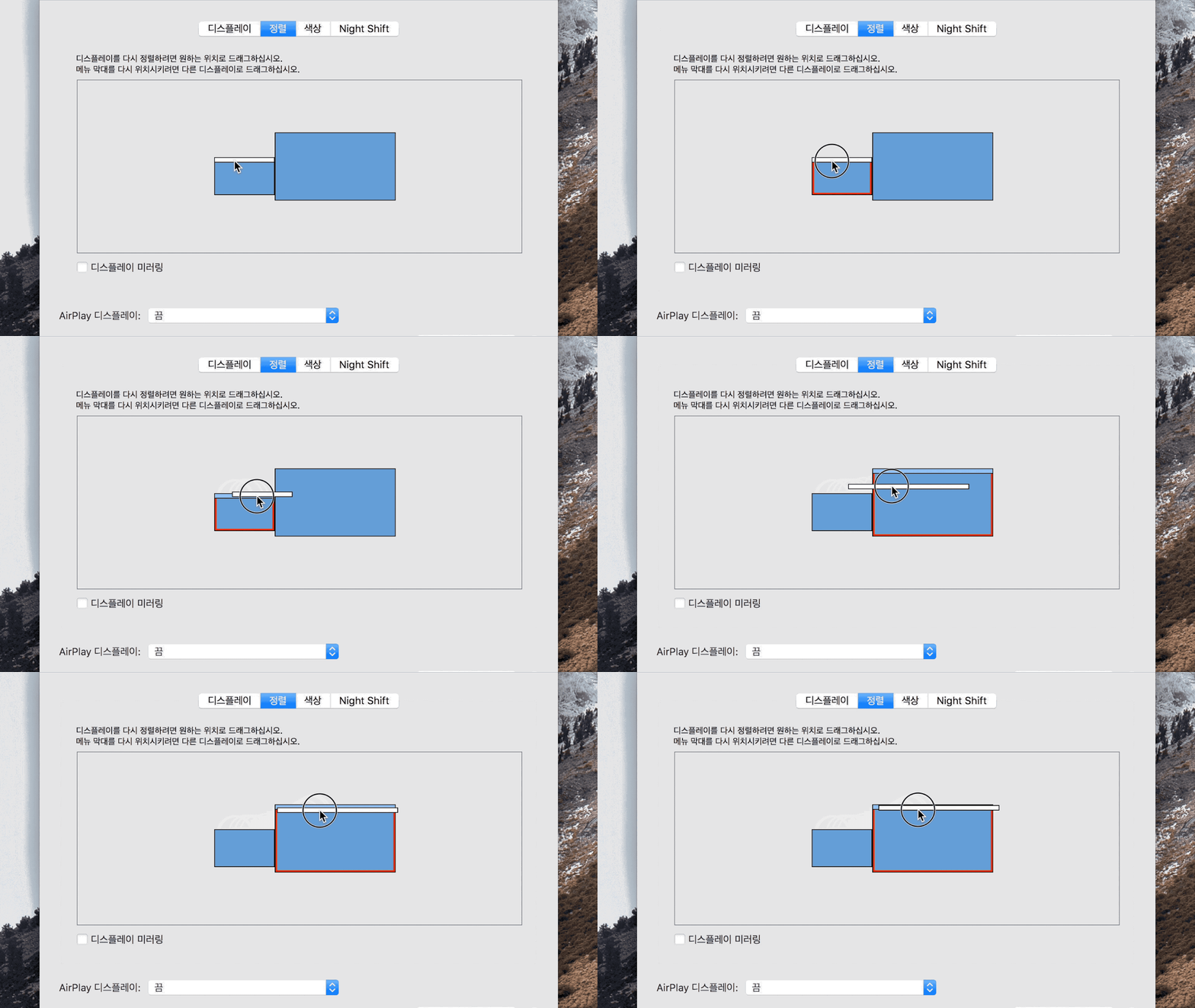
Mac 듀얼 모니터 사용할때, 메인 모니터(Display) 지정(변경)하기yogiba (25)in #mac • 8 years ago (edited)MacOS: High Sierra Version: 10.13.3 ======================================= 메뉴 위치 시스템 환경설정 >> 디스플레이 정렬탭에서 연결된 모니터를 확인할 수 있다. MAC 메인화면 Dock은 메인 디스플레이로 지정된 화면에 나타난다. 아래 화면과 같이 정렬화면에서 상단 상태바를 마우스로 선택에 옮기면 된다. #tip #manual #yogiba
Congratulations @yogiba! You have completed some achievement on Steemit and have been rewarded with new badge(s) :
Click on any badge to view your own Board of Honor on SteemitBoard.
For more information about SteemitBoard, click here
If you no longer want to receive notifications, reply to this comment with the word
STOP