Online Investigation Tools Part 2- Archive Everything!
Continuing from Part 1, this article will show a multitude of methods for preserving the content you find online. This is an absolutely crucial step that cannot be overlooked, especially when investigating sensitive or breaking news, because you can and will see the information being removed in real-time as you share it with others. Posting a dead link to a deleted tweet doesn't help anyone. To avoid that situation, and others like it, there are a variety of approaches each with their strengths and weaknesses.
 Live URL Archive Sites
Perhaps the most important tool for preserving the integrity of the metadata is capturing a live snapshot of a web page. By using a third party to independently save the data at a point in time, you ensure the validity of evidence is much more credible than, for example, what a screenshot can provide. Also, you may want to use archive links if you want to avoid driving traffic (and thus ad revenue) to the site you're sharing (i.e. fake news).
Wayback Machine- One of the oldest and most trusted archives available, the Wayback Machine crawls the web and stores websites captured as far back as 1996. It is important to note that this site will not archive any other website if forbidden by the robots.txt in the root of the server's web site hierarchy. They will also retroactively remove an archived site if requested by the site owner or if the owner updates their robots.txt file. So while it may be a good first place to search or archive data, it cannot be relied upon if the subject of your investigation wants it gone. If for some reason Internet Archive is down, you can find a mirror here.
Archive-it- Built by the creators of the Wayback Machine, this site is useful for searching collections from colleges and other cultural institutions found on the web.
archive.is- Formerly archive.today, this site does not crawl websites, but relies on users to submit pages for archival. Unlike the Wayback Machine, it will ignore a site's robots.txt, making it especially useful for more sensitive material with a high risk of being removed. The link you give it will be the only page archived, which means all the links found within the page will not be processed. For example, if you want to archive multiple tweets, entire Facebook profiles, and things of that nature, you must copy and paste all URLs that you want to save individually. If for some reason the site isn't working, mirrors can be found here and here.
peeep.us- Similar to archive.is, this site archives single URLs at the user's discretion. However, this site requires a Google login to save pages.
 Video Archiving
While taking a snapshot of a page has been made easy with the sites above, archiving video found within those pages can be a bit trickier. The methods used will vary from site to site, and most require downloading locally to your device. The following sites and programs will allow you to preserve almost any video found online.
youtube-dl-Perhaps the most powerful single tool for archiving video, this program works on Youtube, Facebook, Periscope, and many many more sites. You have to use this program on the command line, but don't let that scare you away. Even if you've never used the command line, all you need to know is how to navigate to the directory (Windows) you want the video saved in, and then type the command
youtube-dl https://URL.of/video-you-want-saved. It is also possible to save entire channels or playlists with this program, so please read the documentation to truly understand how to use this effectively.HookTube- One of the only online video archiving services, HookTube works by replacing the "you" in any Youtube URL with the word "hook", which then saves the video to the HookTube site and also gives the option to download locally. You can also use this site to avoid giving ad revenue to Youtube when sharing videos.
Firefox and Chrome extensions- There are many extensions you may find convenient that are available for these two web browsers, however they all lack the capability and reliability that youtube-dl provides. Flash Video Downloader seems to be one of the most popular, but you can find many similar tools by searching "video download" in your browser's extension/add-on repository.
 Screenshots
While not as convincing as a URL archive, screenshots are an easy way and effective way to share information with others. Depending on your setup, there are several different ways to approach this.
Web Browsers
- Firefox- Unknown by many, the desktop version of this web browser actually comes with a built-in screenshot abilities. Simply press SHIFT+F2 while on any page you want to capture, and then type the command
screenshot filename.png. It will then save the viewable portion of the website you are on as an image to your default download folder. You can also add the option--fullpageafter the filename to capture the entire page in a single image. - Chrome- the extension Full Page Screen Capture seems to be the most popular available for this particular browser.
Screenshot Programs for use outside of the web browser
- Windows users can use the built-in Snipping tool found on Windows 7,8, and 10. Or, for even more control and options, you can get Greenshot for free. (thanks @transisto)
- Apple OS X users can use the built-in commands found here or you can buy Greenshot.
- Linux users have a variety of options, but my personal favorite is Shutter.
- Handheld devices vary from device to device, so search your device name plus screenshot in Google to find instructions.
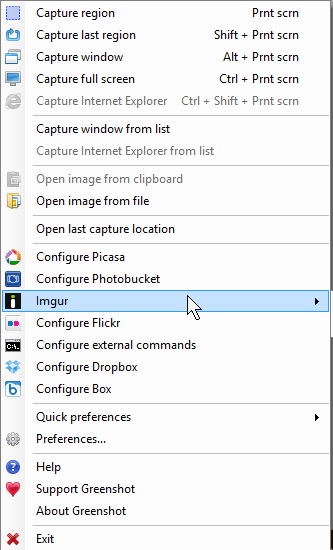
For Screenshot Programs, nothing beats open-source program Greenshots
Can it take a video and do a shot one frame every second and make it into a pdf?
No it's just screenshots
You will first need to extract the frames from the video .
I would personally use VLC for that it is free. Here is the info how to do that : https://www.raymond.cc/blog/extract-video-frames-to-images-using-vlc-media-player/
Then I would transform those pictures into PDF file with this free website :

If you liked my answer, you know what to do ;)
I haven't heard of it, but I will definitely check it out. Thanks so much, this is exactly the kind of comment I need to provide better info for everyone.
Congratulations! This post has been upvoted from the communal account, @minnowsupport, by r0nd0n from the Minnow Support Project. It's a witness project run by aggroed, ausbitbank, teamsteem, theprophet0, and someguy123. The goal is to help Steemit grow by supporting Minnows and creating a social network. Please find us in the Peace, Abundance, and Liberty Network (PALnet) Discord Channel. It's a completely public and open space to all members of the Steemit community who voluntarily choose to be there.
If you like what we're doing please upvote this comment so we can continue to build the community account that's supporting all members.
I see what you were working on buddy. This is an incredible read, you provide a shit ton of value. I like the Wayback Machine info, just bookmarked their site.
Fantastic post, @r0nd0n! It's good to see members sharing their tools with the community. :)