Drone Electronics, a Naze32 flight controller setup and programming. (Part 1)

It seems like the hottest products out there right now in the world of RC are the video capturing flying quad copters like the phantom series produced by Chineese DJI Technology company. Although thees are superior design they usually come with price tags of five hundred too thousands of dollars. and getting used to a flying RC device can take a lot of practice. this can result in a lot of expensive crashes and repairs. So if you cannot afford a simple gaff of starting your drone before you turn on your transmitter, I suggest building your own for a fraction of the price. The Naze32 board is the same exsact flight controler that comes in the DJI products. This is completely possible to install if you have a soldering pen and a little bit of programming experience.


I will be looking at the flight controller microchip that is the main computer that comes with breakout pins and motor wires for just about 30 dollars. and with motors and prop propellers only being 8 to 11 dollars. someone could make a drone for under 100 dollars. and i will explain how to start, you will need the following ...
1.A Naze32 flight controller board with break out pins and cables for each motor you intend to use.
- A soldering pen with solder 60/40 do not use any acid core type solder for electonic work such as this.


when you receive the Naze32 board in the mail it will not have the breakout pins soldered onto the board and you will have to do this. but first before you plug in your soldering pen and start working you should make sure when you plug in your board that it is receiving power and is functioning properly. A red LED light will be on when you plug in your board with a micro USB power cable. If you are sloppy with your solder and bridge any one of the connections you will more then likely ruin your board and not be able to continue, this part is crucial.
the board may or may not be offered with break out pins with a 90 degree angle in them. these are more useful when engineering your quad copter because of the height of your wires when plunged in and keeping everything on your drone neat and tidy to the frame.
Begin by plugging your RC input pin set into the break out cables. This step will prevent pins from moving while in the board and use helping hands clamps to hold your jointed RC input cable to the board. guided over the flat copper pad spaces. when this is dry and solid take it out of the helping hands clamp and put in your servo pins and battery or buzzer pins. flip this upside down and let gravity hold your pins in place then apply solder to each small point.


Soldering Tips
For those who are first using a soldering pen for the first time I suggest some other practice first. The joints on the Naze32 board are vary small and close together. Only a small drop of solder is needed for each joint. and i cannot stress enough, If you bridge any two puddles of solder you will ruin your board. start at opposite corners to ensure your pins don't shift around. put the tip of pen not directly to the solder but instead touch to the side of the pin and quickly apply only one small drop of solder to each joint or pad.
Clean Flight Programing
Now that your board has its pins soldered you will need to flash it with a open source program called Clean Flight. You will need a micro USB connector that is a data transfer cord and not just a power cord. brlow is a link to get started
https://chrome.google.com/webstore/detail/cleanflight-configurator/enacoimjcgeinfnnnpajinjgmkahmfgb?hl=en
with the version that is appropriate with your preferred OS ( Windows or Mac)
I will continue from here on the Windows version.

with this program running, your Naze32 board pluged in, and a Wifi connection on your computer you can flash your firmware. On the far left and the bottom option tab will be firmware flasher. this will bisplay a scroll down input field of your model of board. Do not select a Naze32 firmware that is older than 1.11.0 . Always check for the newest version and try it out, If it does not work you can always revert back to an older version. Now with your option selected hit the bottom at the bottom that reads "load firmware online". when those connections are made hit the "flash firmware button". You will see a loading bar in green, wait for this and when it is done it should say "programming successfully"
From this point forward you can go to the right hand corner and click the small circular "connect" button. When you do this you should be able to see a graphical representation of a quad copter moving along with it and mimicking your angles.
In part 2 of this blog plan to discuss diferent materials and ways to make a cheeper in price quad copter frame and continue with the clean flight programming.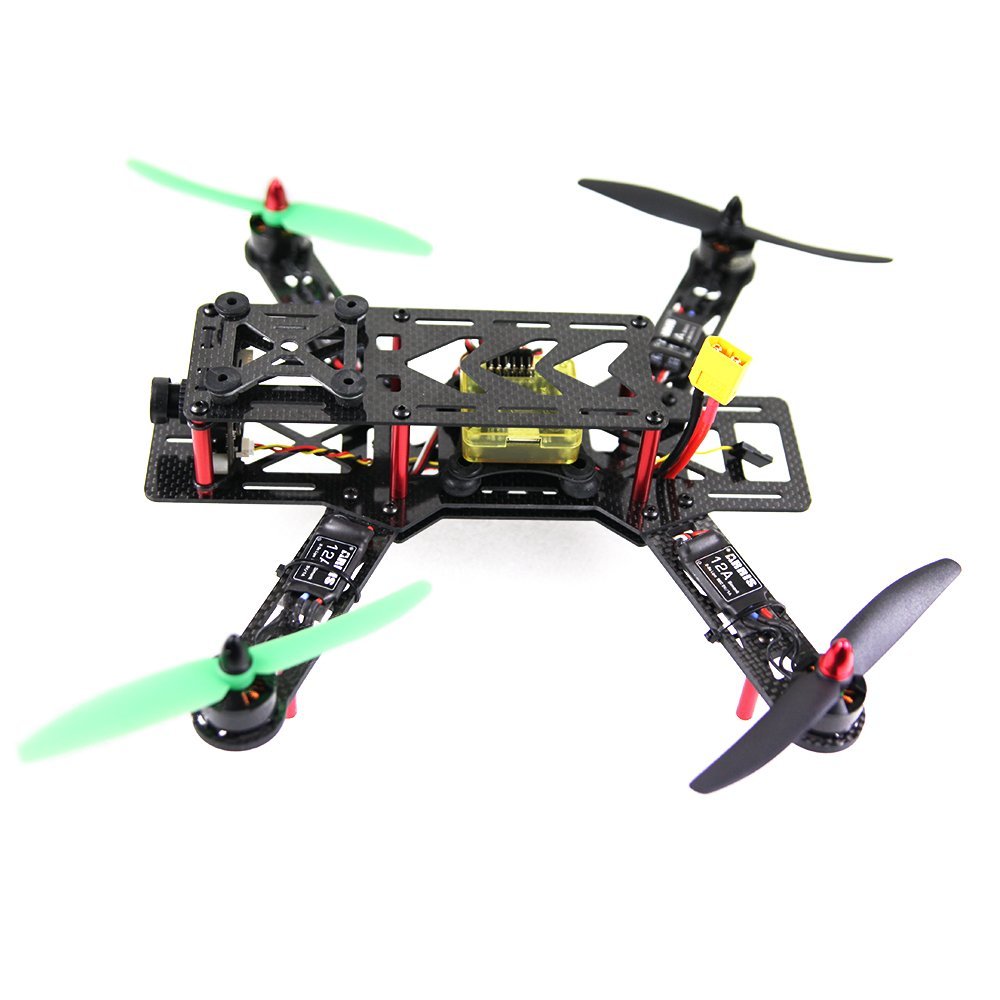
nice work, keep it up
The lyrics are great