Brave Browser: How to block annoying notification pop-ups 🙈
So kannst du die lästigen Benachrichtigungs-Popups im Brave Browser blockieren
Seit einiger Zeit wollen immer mehr Webseiten automatisch Benachrichtigungen zulassen und nerven mit den Notification-Erlauben-Popups, die beim Besuch der Webseite automatisch angezeigt werden.
Grundsätzlich empfehle ich, so wenig Benachrichtigungen wie möglich zuzulassen oder noch besser diese ganz abzuschalten, da Benachrichtigungen im Hintergrund ständig Anfragen an die Webseiten schicken und eigentlich eher nerven als Nutzen bringen.
Die lästigen Notification-Popups kann man im Brave Browser wie folgt blockieren. In Chrome, Opera und Edge funktioniert dies übrigens ähnlich:
Brave Browser Einstellungen öffnen (Menü rechts anklicken > Settings)
Additional settings
Privacy and security
Site Settings
Notifications
"Ask before sending" deaktivieren
Voilà! Jetzt hast du die lästigen Notification-Popups unterhalb der Adressleiste blockiert.
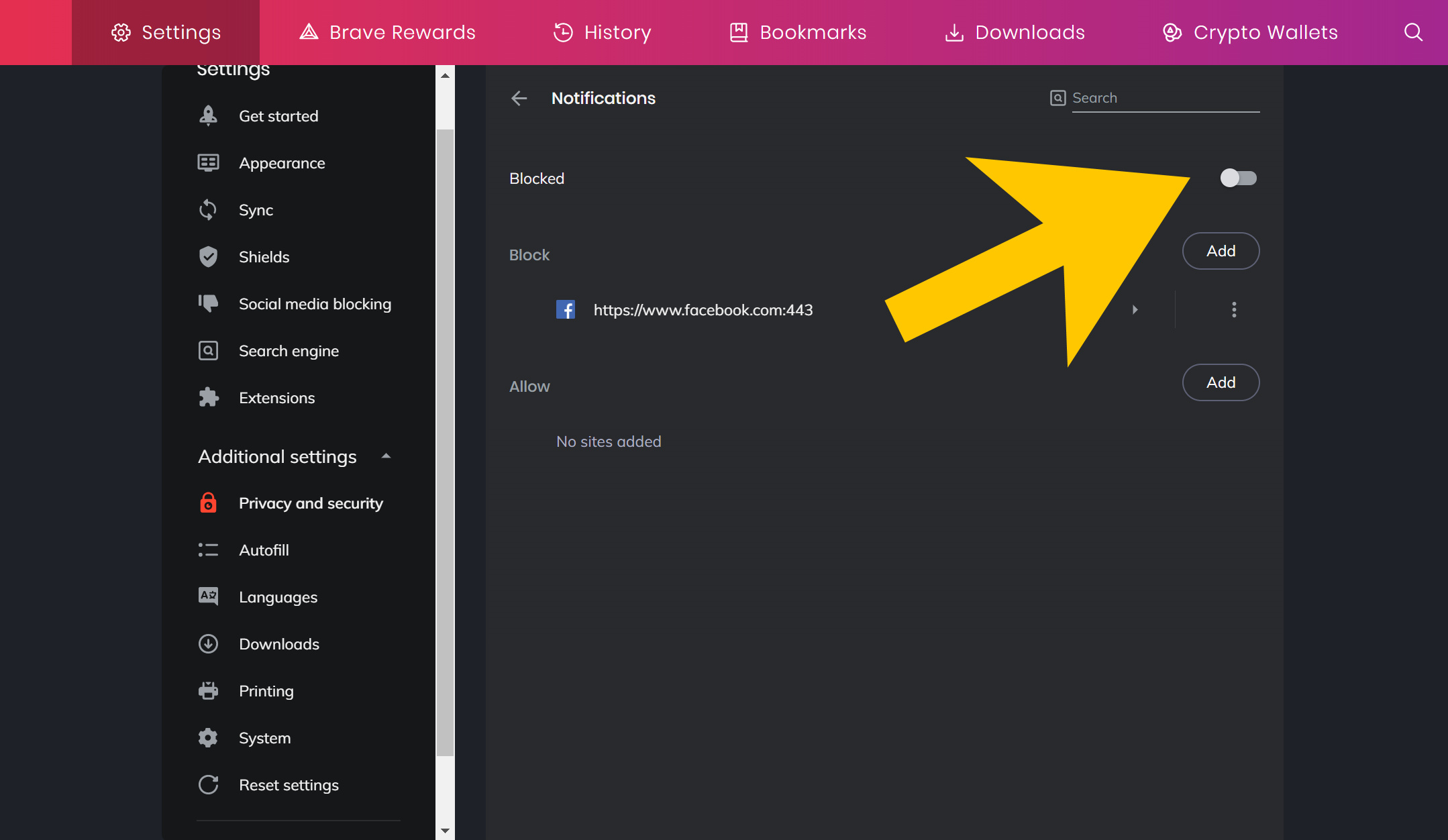
Disable this toggle in order to block Web notifications in the Brave Browser
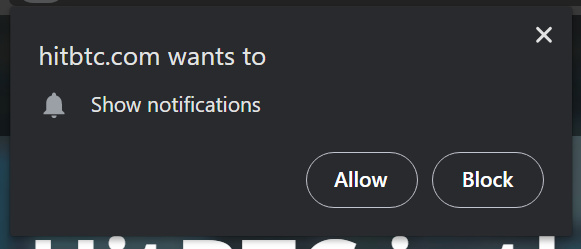
This is how an annoying notification pop-up looks like
English
How to block the annoying notification pop-ups in the Brave Browser
For some time now, more and more websites want to allow automatic notifications and annoy the users with pop-ups, that are automatically displayed when the website is visited, to allow notifications.
Basically, I recommend to allow as few notifications as possible or even better to disable them completely, because notifications constantly send requests to the websites in the background and are actually more annoying than useful in my opinion.
The annoying notification pop-ups can be blocked in the Brave Browser as follows. This works similarly in Chrome, Opera and the new Edge btw:
Open Brave Browser Settings (right click the sandwich menu > Settings)
Additional settings
Privacy and security
Site settings
Notifications
Disable "Ask before sending"
Voilà! Now you've blocked the annoying notification pop-ups below the address bar.
Live your Secrets and Steem Prosper 🔥
xx Viki @vikisecrets
Bei mir nervt das garnicht so. Nutze aber den Brave Browser nur für Kryptos und MetaMask.
Liebe Grüße Michael !invest_vote !BEER
Vielen Dank! Nutze ja auch den Brave Browser und schaue mir das mal an. Yours Querdenker !invest_vote
Die nerven mich auch. Danke für die Infos
@querdenker denkt du hast ein Vote durch @investinthefutur verdient! ----> Wer ist investinthefutur ?
@querdenker thinks you have earned a vote of @investinthefutur !----> Who is investinthefutur ?
View or trade
BEER.Hey @vikisecrets, here is a little bit of
BEERfrom @mima2606 for you. Enjoy it!Learn how to earn FREE BEER each day by staking.
@mima2606 denkt du hast ein Vote durch @investinthefutur verdient! ----> Wer ist investinthefutur ?
@mima2606 thinks you have earned a vote of @investinthefutur !----> Who is investinthefutur ?