Using the stdout to debug print the solution in the leetcode contest
The leetcode web coding IDE has a premium debugger feature - however this is not enabled during the contest. Recently I found out that you can actually print to STDOUT and then when you run your solution - you will see the output - this is an easy yet powerful method to debug when you don't have other better solutions.
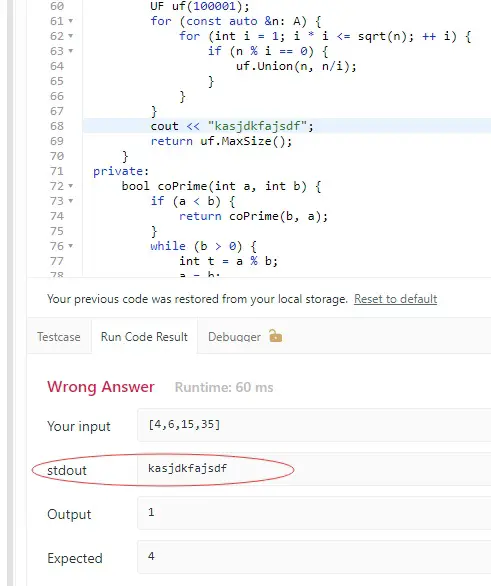
This is a great way to debug your code when you don't have a IDE at hand - sometimes I participated the weekly contests on iPad where I don't have IDE and I don't have access to the inbuilt leetcode debugger as well - in this case, the printing to stdout is the only practical way of debugging printing the variables. Prior to this, I can only change the code and return the variable as a debugging technique - which is very inefficient.

--EOF (The Ultimate Computing & Technology Blog) --
Reposted to Blog
Every little helps! I hope this helps!
Steem On!~
If you like my work, please consider voting for me or Buy Me a Coffee, thanks!
https://steemit.com/~witnesses type in justyy and click VOTE
Alternatively, you could proxy to me if you are too lazy to vote!
Also: you can vote me at the tool I made: https://steemyy.com/witness-voting/?witness=justyy