Shortcuts and Tips for Mac Beginners (Switching from Windows/Linux)
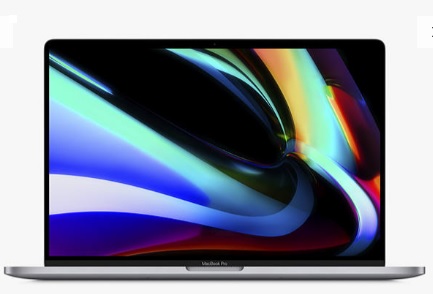
Recently, i have started to use the Mac Book Pro. I am a heavy Windows/Linux user for more than a decade and the MAC Book is totally new to me.
Useful Shortcuts for MAC Book Users
Below are a few things that I've learned to get used to the MAC OS:
- First thing of difference is that the Windows close buttons are on the left in MAC OS.
- Mouse scroll direction is opposite - but you can change it by unticking the "Scroll: Natural style" in System preference settings.
- ctrl - left and ctrl - right to switch screens easily
- command + C instead of ctrl + c to copy
- command + W to close current app
- command + M to minimize current app
- command + space to invoke spotlight search
- command + Left / Right = Home / End button jumming to begining/end of the current line
- command key is mapped from win key on keyboard
--EOF (The Ultimate Computing & Technology Blog) --
Reposted to Algorithms, Blockchain and Cloud
Follow me for topics of Algorithms, Blockchain and Cloud.
I am @justyy - a Steem Witness
https://steemyy.com
My contributions
- Steem Blockchain Tools
- Computing & Technology
- Download Youtube Video
- Find Cheap & Bargin VPS: VPS Database
- Online Software and Tools
Support me
If you like my work, please:
- Buy Me a Coffee, Thanks!
- Become my Sponsor, Thanks!
- Voting for me:
https://steemit.com/~witnesses type in justyy and click VOTE
Alternatively, you could proxy to me if you are too lazy to vote! and you can also vote me at the tool I made: https://steemyy.com/witness-voting/?witness=justyy
!invest_vote
🌹
[WhereIn Android] (http://www.wherein.io)