You are viewing a single comment's thread from:
RE: How to setup a complete profile on your blog page. (tutorial for newbies with illustrations)
Hi @demi-mour the fields you mentioned are called preferences and are located below the fields this post refers to..you need to upload your photos in the "public profile settings" fields located above the preferences section.
You can click on the photo in order to see the image in full screen
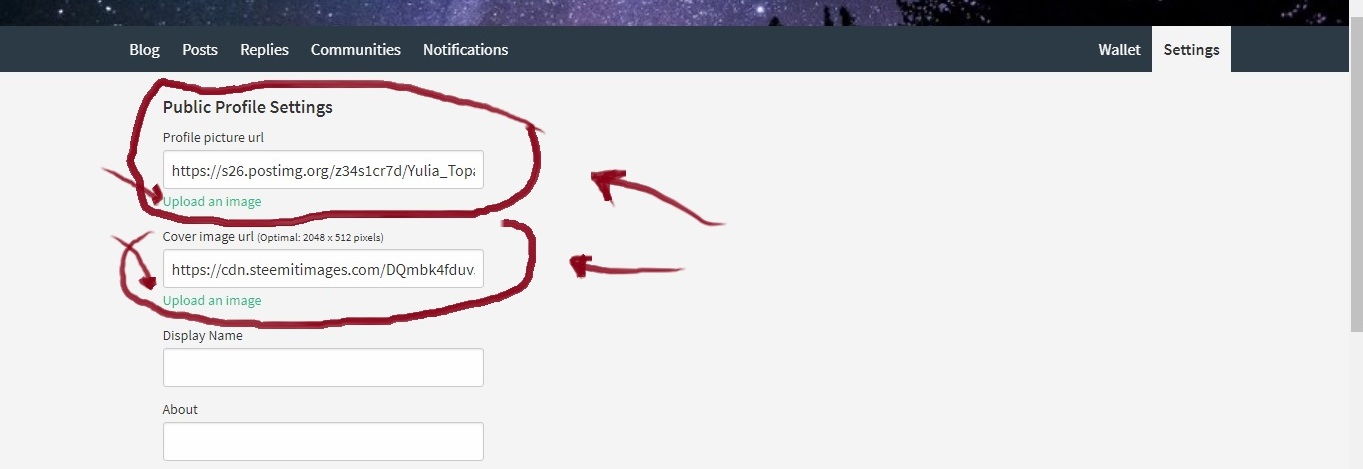
I hope that i was able to help you with your issue
Hello, thanks for your response. I'm afraid i still don't see it. All i see when i click on settings is this.
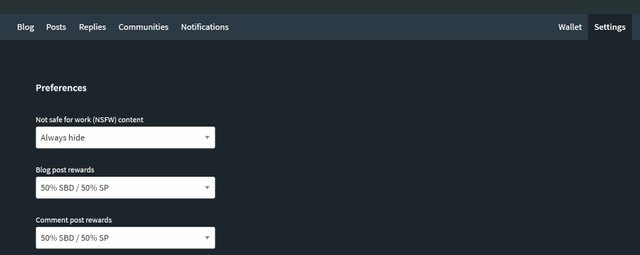
That's weird... i've found this article that maybe could help you out..you could give it a try and see if it works
https://steemit.com/steemit/@ranman09/no-profile-settings-on-steemit-settings
To anyone interested in the future: the problem was solved by clearing browser cookies! Thanks again for your help @grecoloco
glad to help :)
me to thats the same thing im seeing as well