Easy Steem Editor: Visual Editor Added [UA/EN]
Easy Steem Editor: Додано візуальний редактор
| UA original |
|---|
 duck.ai |
Пишу шоб трохи було активності, і як нагадування що ще шевелиться шось там. Окрім деяких нюансів захотілось мені додати візуальний редактор, щоб було зручніше, бо це мені звично маркдаун код набирати, але ж вінне всім буде зрозумілий.
Отже ситуація там цікава. Є готові модулі для візуального маркдаун коду, але це мені не підходить, бо потрібно щоб були вставка зображень по тим шаблонам і так далі. Ну ще й ума не так багато, щоб це все правильно налаштувать. Тому шлах було обрано простійши, може й складніший бо для цього потрібно було розробити логіку поведінки й обробки, й щоб візуальна частина працювала й чистий код був, бо його ще на блокчей відправляти й багато іншого.
Бо є там одна ситуація у стандартних модулях. Буа помічена при на сайті blaze, місяцями раніше, коли при перемиканні із візуального редаткора показує \ біля всих символі які не проходять умови. Подібне було помічено також у блокноті Windows OS 22H2 (може новіші інакше праюють), там пердбачено декілька опцій форматування і доступна функція перемикання на чистий код, але до всіх відомих нам символів додає \. Наприклад, # теж показувало із \#, тому деякі моделі обробки маркдаун можуть підсовувати такі палиці форматування. Тож буде як є.
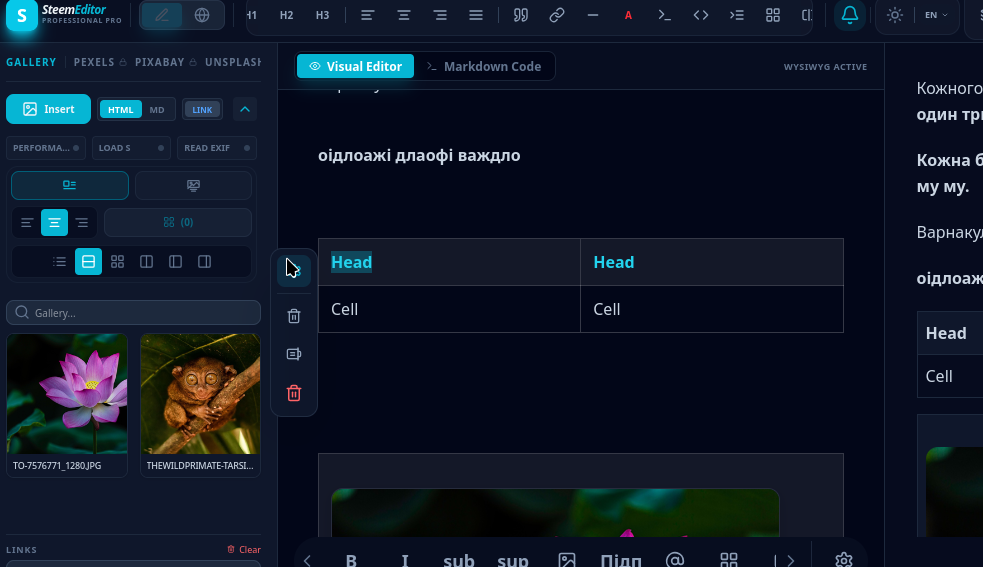 Так у візуальному редакторі в режимі ландшафтному або на ПК ще показує візуальний перегляд маркадун, але то на час налаштування, там відразу видно що не так. |
Також зручне видалення таблиці або рядочка чи стовпчика, але там має стояти курсор, у відповідному рядочку чи стовпчику.
Основні оновлення, хоч і ще не дороблено, але анонсувати можна.
| https://ultra-steem-visual.unconditionallove.workers.dev/ |
|---|
| Тимчасовий лінк для ознайомлення. |
Поведніка безперерного введення в тегах та позиціонування курсора.
- Маркдаун редактор - поведінка курсора реалізована чистим кодом, без сторонніх модулів. При виборі тега форматування при наборі тектсу, курсор автоматично поміщається всередину тега.
| Одне натиснення Ентера клавіші, переносить на нвоий рядочок і там відкривається новий тег, два рази Ентер, і курсор виходить із тега і продовжуєтся набір простого тексту. | |
| Для припинення форматування у обраного тегу, достатньо натиснути на кнопку форматування ще раз, і курсор перейде за нього, а якщо був на краю пробіл між тегом і словом (для тих які мають щільно притискатись до тексту), то пробіл видаляється. |
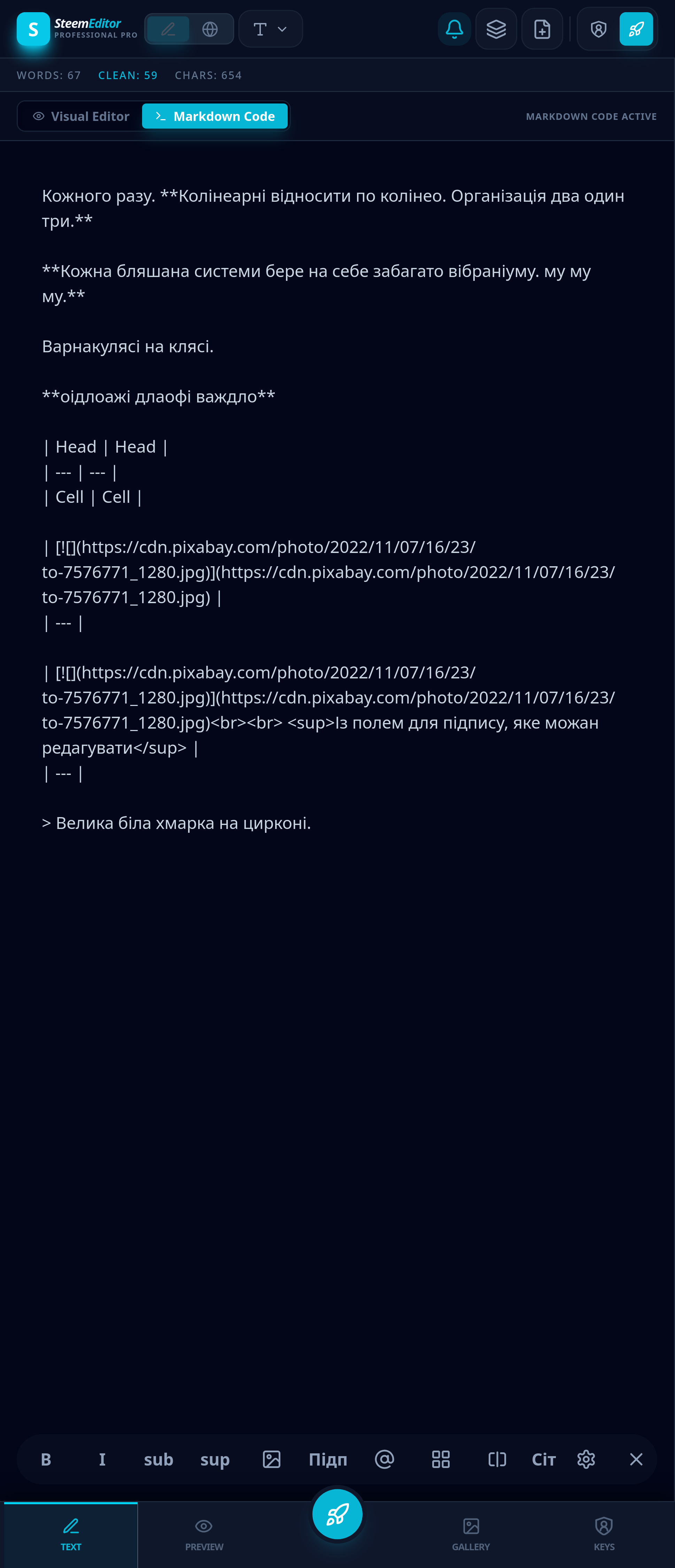
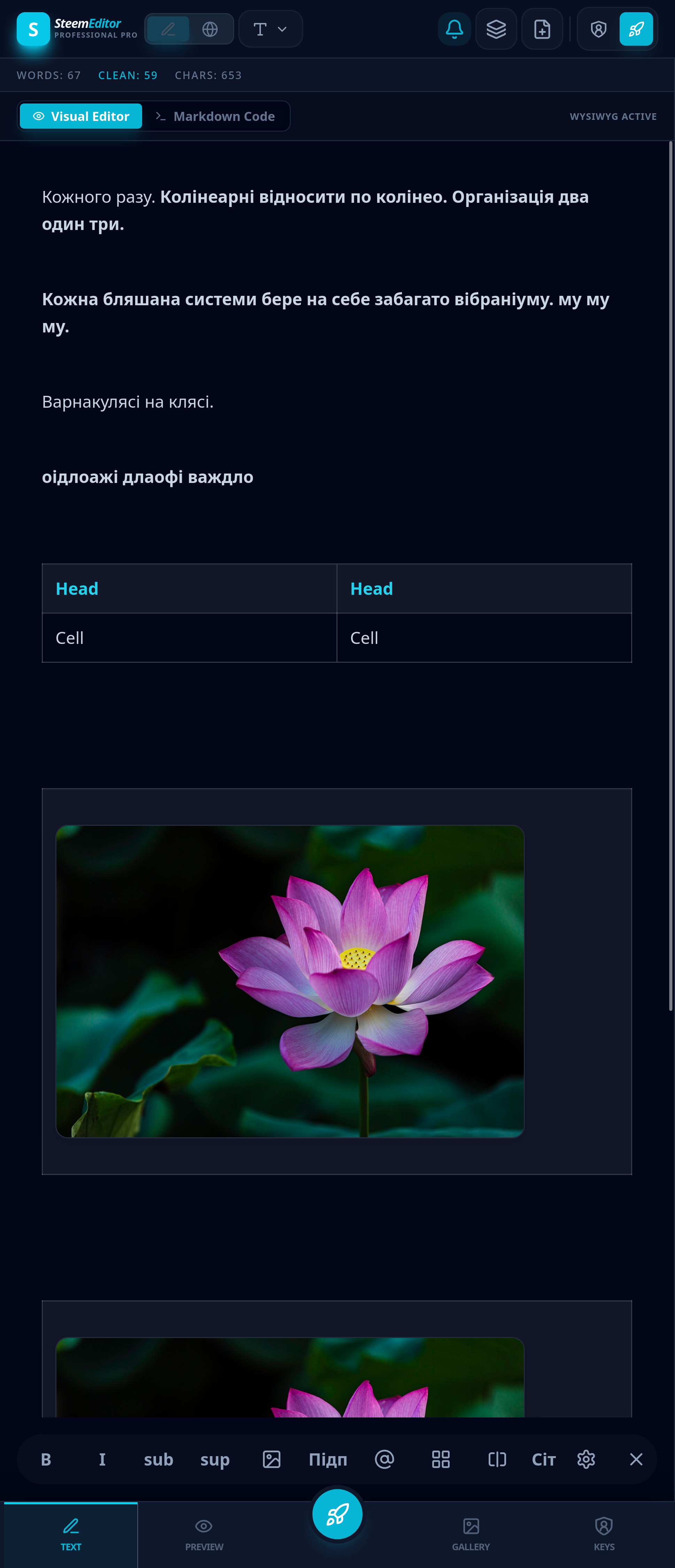
- Візуальний редактор - дозволяє бачити відразу результат в ремльному часі, без зайвого коду. Основана частина готова.
 |  |
| Переваги | |
|---|---|
| Зручне відображення таблиць. Відобарежння тексту, без перемикань на превью, особиливо із мобільного або новачків, хто не дуже робираєтсья із маркдаун форматуванням. |
Є ще деякі нюаси поведінки курсора, не зберігається його положення при перемиканні режимів в обох напрямках. Із коду у візуальний перекидає в точкі редагування тексту, із візуального у чистий маркдаун, перекидає на початок, але це може на поправити згодом. Іще не навчено щоб виходи із блоку цитати натисненням Ентер, але можна виходит вручну, просто клачнувши нижче читати або стрілочкую на клавіатурі вниз. І поки що у візуальному редаткорі для форматування окремих слів, ще потрібно виділяти їх ціляком, в той час як у маркдаун коді це доступно навіть при наведення курсору (знову ж таки з мобільноо зручно). І таблиці при вставці та перемиканні, якщо html формат, то переробляє їх в маркдаун.
Ну й трохи технічного звіту
У процесі інтеграції візуального режиму (WYSIWYG) до редактора було розроблено та оптимізовано такі архітектурні елементи:
Гібридний двонаправлений рушій: На базі компонента contentEditable з використанням бібліотеки marked для парсингу Markdown в HTML та власного алгоритму htmlToMarkdown для зворотного конвертування HTML у чистий Markdown.

Спеціалізовані стилі та обробка DOM:
Використання селектора @theme та налаштувань Tailwind CSS для збереження єдиного вигляду тексту в обох режимах.
Реалізація правила p:empty::before із нерозривним символом нульової ширини (\u200B), що запобігає схлопуванню порожніх рядків у візуальному редакторі.
Автоматичні навігаційні зони: Інтегровано логіку автоматичного додавання порожніх абзаців
| EN translated by AI |
|---|
Easy Steem Editor: Visual Editor Added
duck.ai |
Writing this just to keep up some activity and as a reminder that things are still moving here. Aside from a few details, I wanted to add a visual editor to make things more convenient—since while writing Markdown is natural for me, it might not be intuitive for everyone.
So, the situation there is interesting. There are ready-made modules for visual Markdown, but they don't quite suit my needs because I need image insertion based on specific templates and so on. Also, I might not have enough expertise to configure all of that properly. Therefore, I chose a simpler path—or perhaps a more complex one, since it required developing the behavior and processing logic from scratch to ensure both the visual part works and the output code remains clean, especially since it still needs to be sent to the blockchain, among other things.
There is a specific issue with standard modules. It was noticed on the Blaze website months ago, where switching from the visual editor displays a \ next to all characters that don't meet the conditions. A similar behavior was noticed in the Windows Notepad (OS 22H2, though newer versions might work differently); it offers several formatting options and a clean code toggle, but adds \ before all familiar symbols. For example, # was shown as \#, so some Markdown processing models might introduce these formatting hurdles. So, I will leave it as is for now.
This is how the visual editor in landscape mode or on PC also shows the visual markdown preview, but that's just for the setup phase, making it immediately clear what might be wrong. |
It also features convenient deletion of tables, rows, or columns, though the cursor must be placed in the respective row or column.
Key updates—even though not fully finished yet, they are ready to be announced.
| https://ultra-steem-visual.unconditionallove.workers.dev/ |
|---|
| Temporary link for preview. |
Continuous Input Behavior in Tags and Cursor Positioning
- Markdown editor - cursor behavior is implemented in pure code, without third-party modules. When selecting a formatting tag while typing text, the cursor is automatically placed inside the tag.
| A single press of the Enter key moves to a new line and opens a new tag there; pressing Enter twice exits the tag, allowing you to continue typing plain text. | |
| To stop formatting for the selected tag, simply click the formatting button again. The cursor will move past it, and if there was a space at the edge between the tag and the word (for tags that must fit tightly against the text), that space is removed. |
- Visual editor - allows you to see the results immediately in real time, without unnecessary code. The core part is ready.
| |
| Advantages | |
|---|---|
| Convenient display of tables. Text rendering without switching to preview, which is especially helpful on mobile devices or for beginners who aren't very familiar with Markdown formatting. |
There are still some nuances with cursor behavior; its position is not preserved when switching modes in both directions. Switching from code to visual places the cursor at the text editing point, but switching from visual to clean Markdown resets it to the beginning, though this might be fixed later. It hasn't been programmed yet to exit blockquotes by pressing Enter, but you can exit manually by clicking below the quote or using the down arrow key. Also, formatting individual words in the visual editor still requires selecting them fully, whereas in Markdown code, this can be done just by placing the cursor on the word (which is again convenient on mobile). Additionally, when tables in HTML format are pasted or toggled, they are converted into Markdown.
And a bit of a technical report
During the integration of the visual mode (WYSIWYG) into the editor, the following architectural elements were developed and optimized:
Hybrid bidirectional engine: Based on the contentEditable component, using the marked library to parse Markdown to HTML and a custom htmlToMarkdown algorithm for back-conversion of HTML to clean Markdown.
Specialized styling and DOM processing:
Using the @theme selector and Tailwind CSS configurations to maintain a consistent text appearance across both modes.
Implementing the p:empty::before rule with a zero-width space (\u200B) to prevent empty lines from collapsing in the visual editor.
Automatic navigation areas: Integrated logic to automatically append empty paragraphs
after large block elements (tables, images
 ), allowing users to exit the block using clicks or arrow keys.
\2. Cursor behavior logic and synchronization
Caret synchronization between two completely different text representation modes (a textarea text field and a complex DOM node structure in contentEditable) is implemented using unique markers:
Transition: Markdown ➡️ Visual mode (Works well)
Before switching, the cursor index (selectionStart and selectionEnd) is read in the textarea.
Unique markers are embedded into the Markdown text: STARTCARETMARKER and ENDCARETMARKER.
The resulting string is parsed into HTML.
A recursive DOM node walker (walkAndFindMarkers) is created to search for these markers within text nodes.
Once the markers are found, they are removed from the text, and the browser's native Selection object is placed at their position using document.createRange().
Support was recently added to place the cursor even next to empty or structural elements (BR, IMG, INPUT), resolving offset errors and caret jumps.
Transition: Visual mode ➡️ Markdown (Needs improvement)
The current selection in the visual editor is read via window.getSelection().
Based on the node nesting path (getNodePath), a temporary WYSIWYG clone is created, where text markers STARTCARETMARKER and ENDCARETMARKER are written into the corresponding nodes.
This clone is converted to Markdown text using htmlToMarkdown.
The marker indexes are searched for in the generated Markdown.
Based on the indexes found, the selectionStart and selectionEnd parameters are set in the classic text editor.
\3. What works well
Basic formatting: Bold text, italics, headers, and links synchronize seamlessly in both directions. The cursor position within regular paragraphs is preserved with high accuracy.
Handling media: Automatic creation of navigation paragraphs before and after images when clicking them allows for comfortable continued text input around images.
\4. Bugs and areas for improvement
A. Exiting complex block elements (e.g., Blockquotes <blockquote>)
Situation: A blockquote in Markdown (> text) is rendered as a single large <blockquote> block in the visual editor. Pressing Enter inside this block only creates new lines/paragraphs within the blockquote itself.
What needs to be done: The onKeyDown handler for the visual editor needs to be expanded. If a user presses Enter on an empty line inside <blockquote> (or presses Enter twice), the editor should automatically break the blockquote block, close the <blockquote> tag, create a regular new <p> paragraph below, and move the cursor there.
B. Cursor resetting to the beginning when switching Visual ➡️ Markdown
Situation: When switching from the visual mode to Markdown, the cursor sometimes resets to the beginning of the document. This happens because the syncCursorVisualToMarkdown function cannot always find the matching node in the cloned DOM tree (for example, if the cursor was in a specific empty element or at the junction of formatting tags).
C. Word merging during back-conversion
Situation: Previously, during HTML to Markdown conversion, the htmlToMarkdown function applied the .trim() method to each <p> block, which removed spaces between words at block boundaries, causing words to merge.
What has been fixed: The rigid .trim() was replaced with selective removal of only edge line breaks (.replace(/^\n+|\n+$/g, '')), preserving spaces at the boundaries. However, the inline tag logic (e.g., when bold text borders a regular word) still requires precise calibration of spaces around formatting markers like **.
Сс:
@hungry-griffin
@steemcurator01
Дякую за підтримку))