How to create a bootable Windows USB using Rufus
A few years ago the windows installation process was done using a CD. With increasingly sophisticated and many new discoveries, there is now an easier and simpler way to install Os windows using RUFUSH.
Rufus supports bootable USB for many operating systems, including Windows and Linux operating systems. Some uses of this rufus software:
- Create USB installation media from bootable ISO (Windows, Linux, UEFI and others)
- Helps buddies who need to work on systems that do not have OS installed.
- Helps buddy who needs to flash BIOS or other firmware from DOS.
Before installing os first we create Bootable usb windows 7 Ultimate Sp1 x64 via rufush, this will be the tutorial on my article.
Materials needed:
Here are the steps to create a Bootable usb Windows 7 with Rufush:
first step you must prepare rufush software and iso image of Windows 7 Ultimate Sp1 x64 first.
Make sure that your Usb is installed correctly.
Next run rufush software that you have prepared earlier.
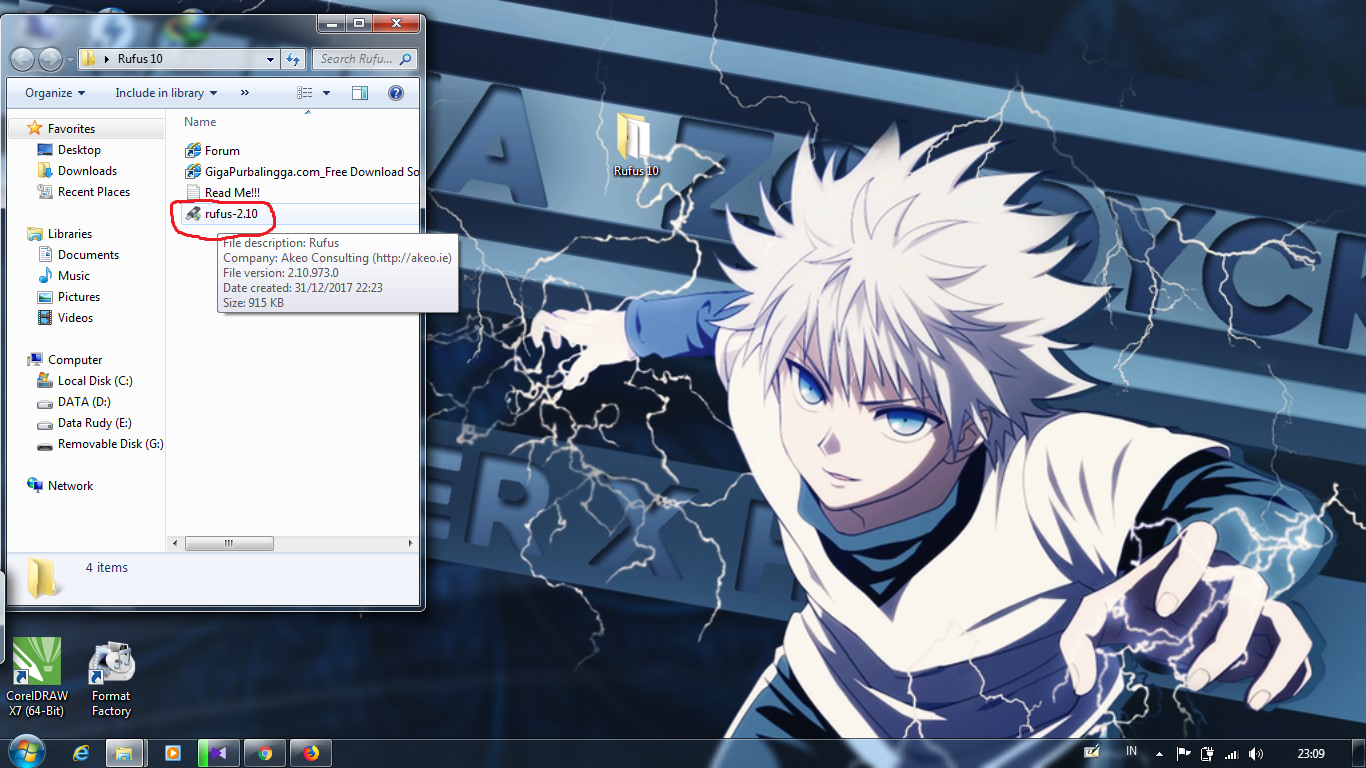
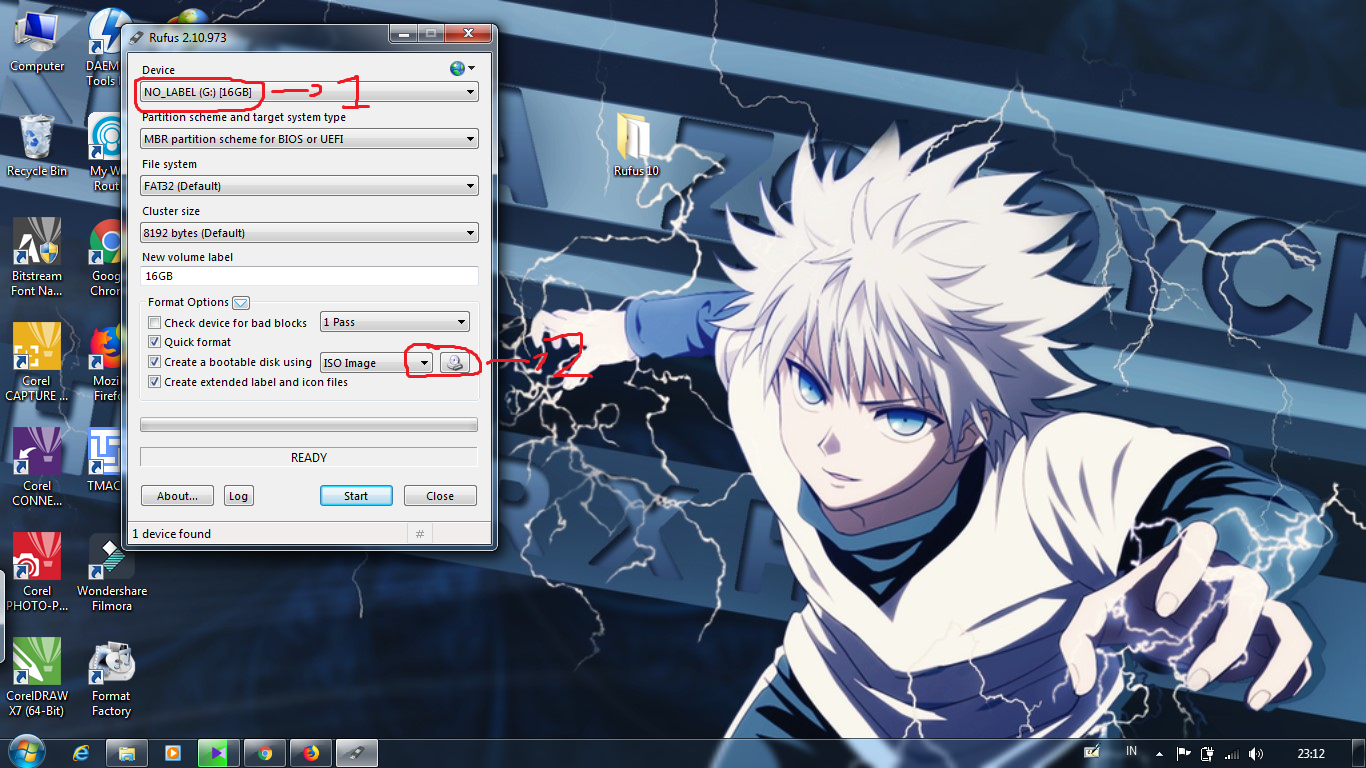
Select the connected Usb and select the iso image browser.
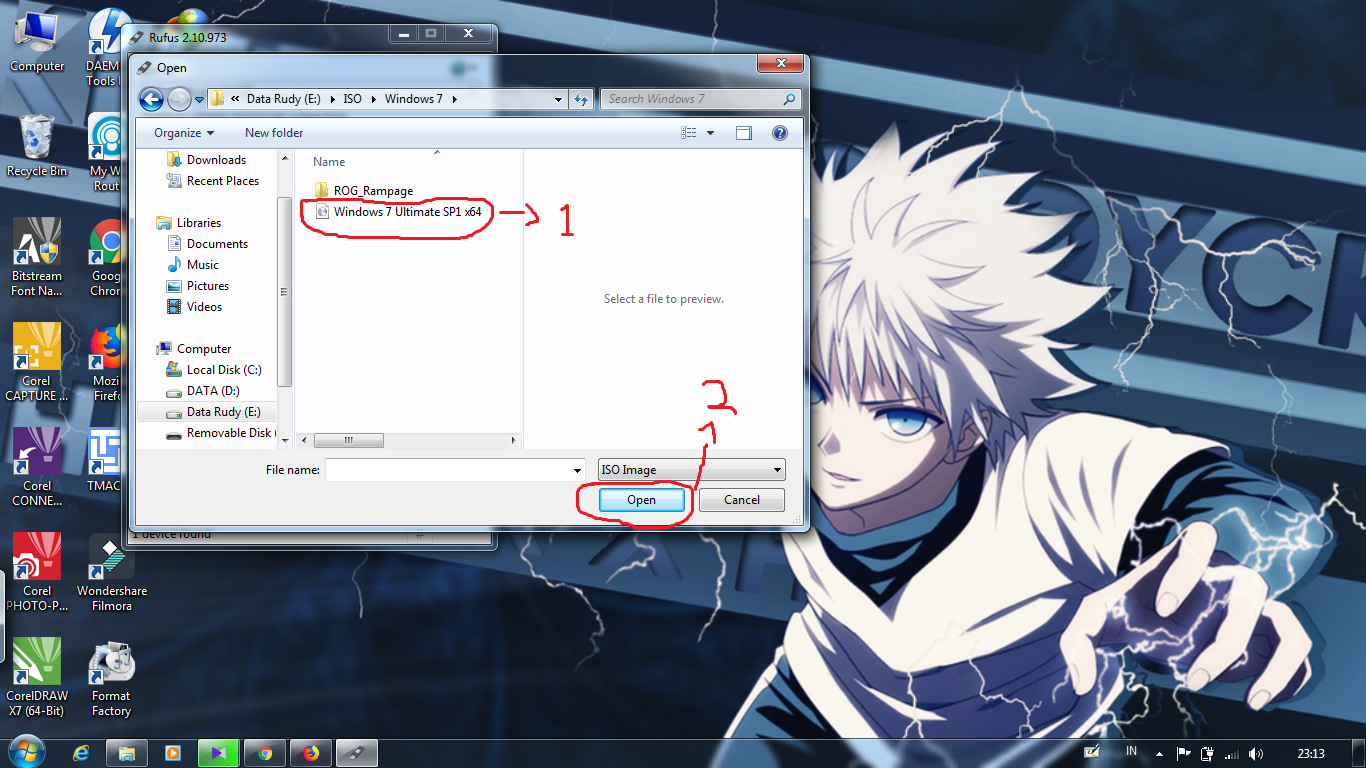
Select the iso image windows 7 Ultimate Sp1 x64.
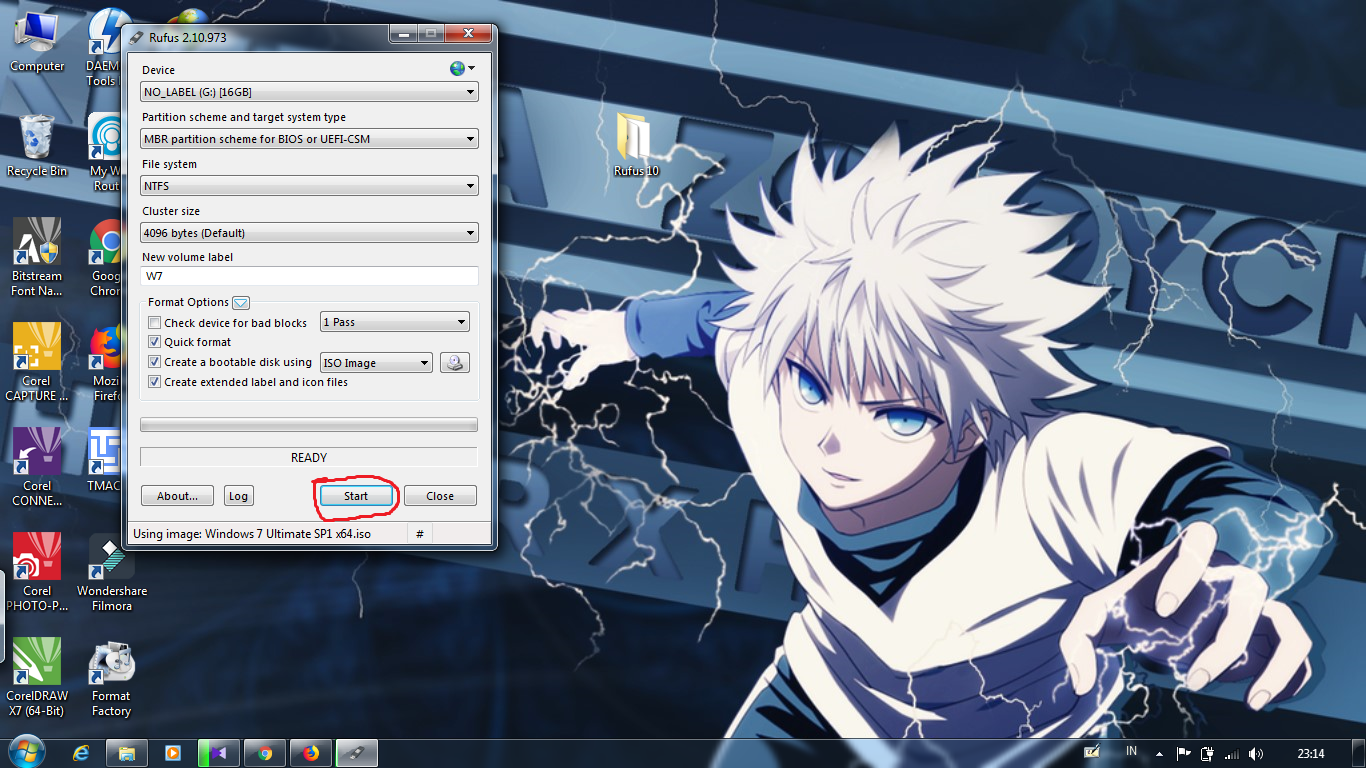
After the iso file is selected directly click start.
Next warning warning appears, and click okay.
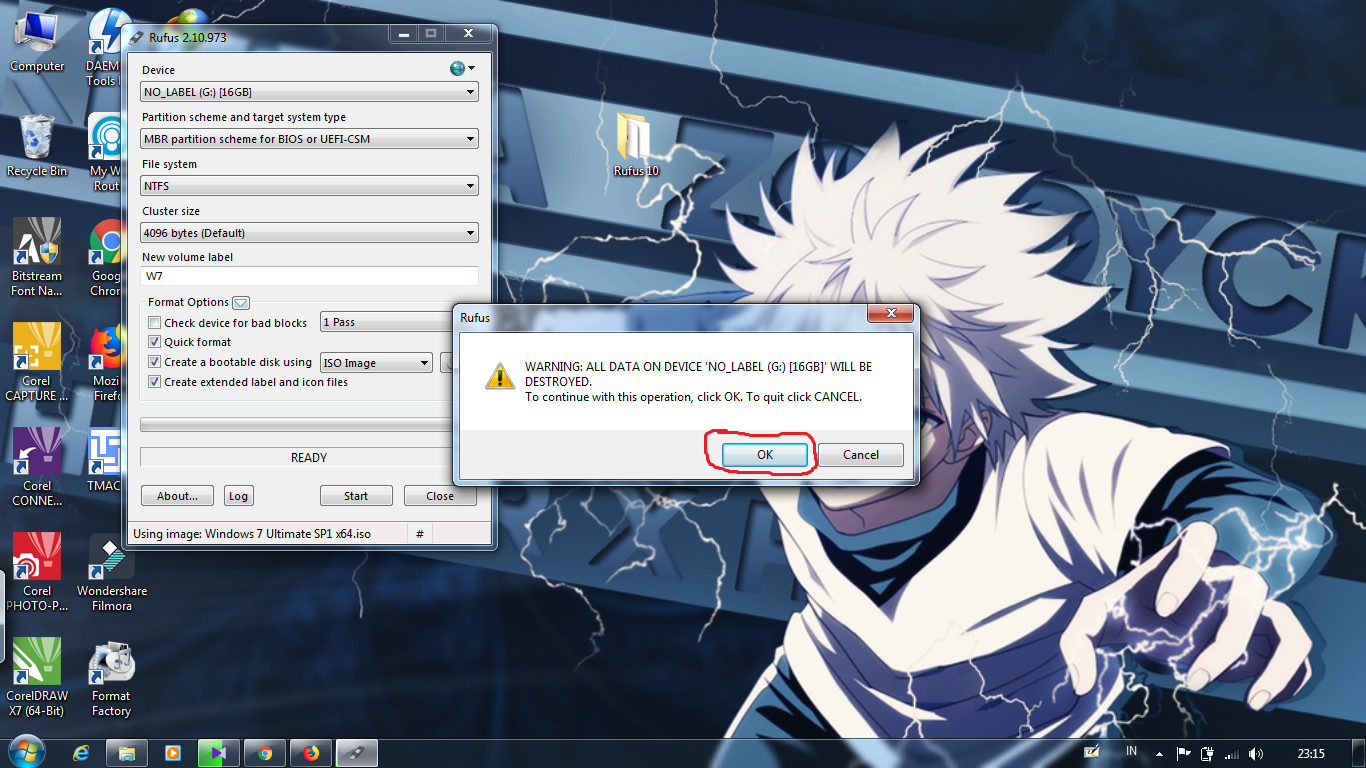
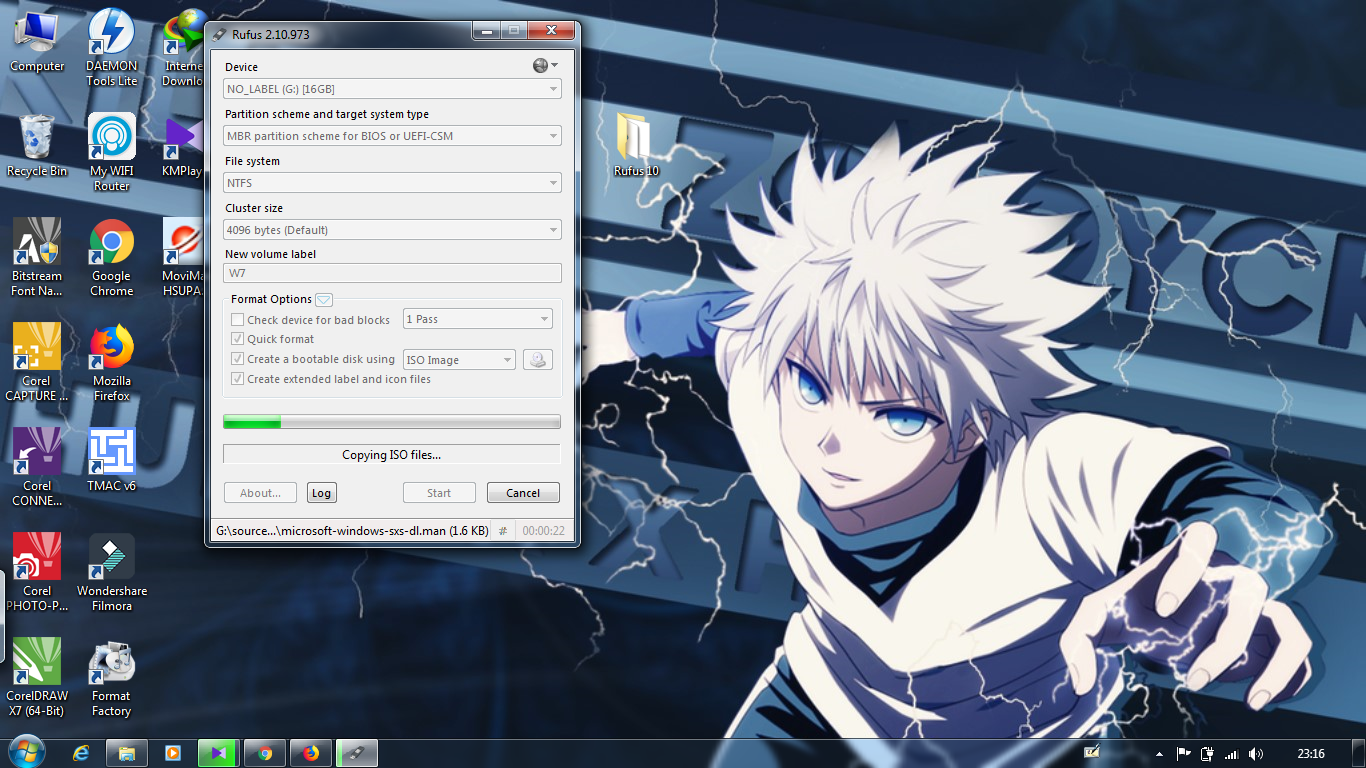
Wait until the process is complete.
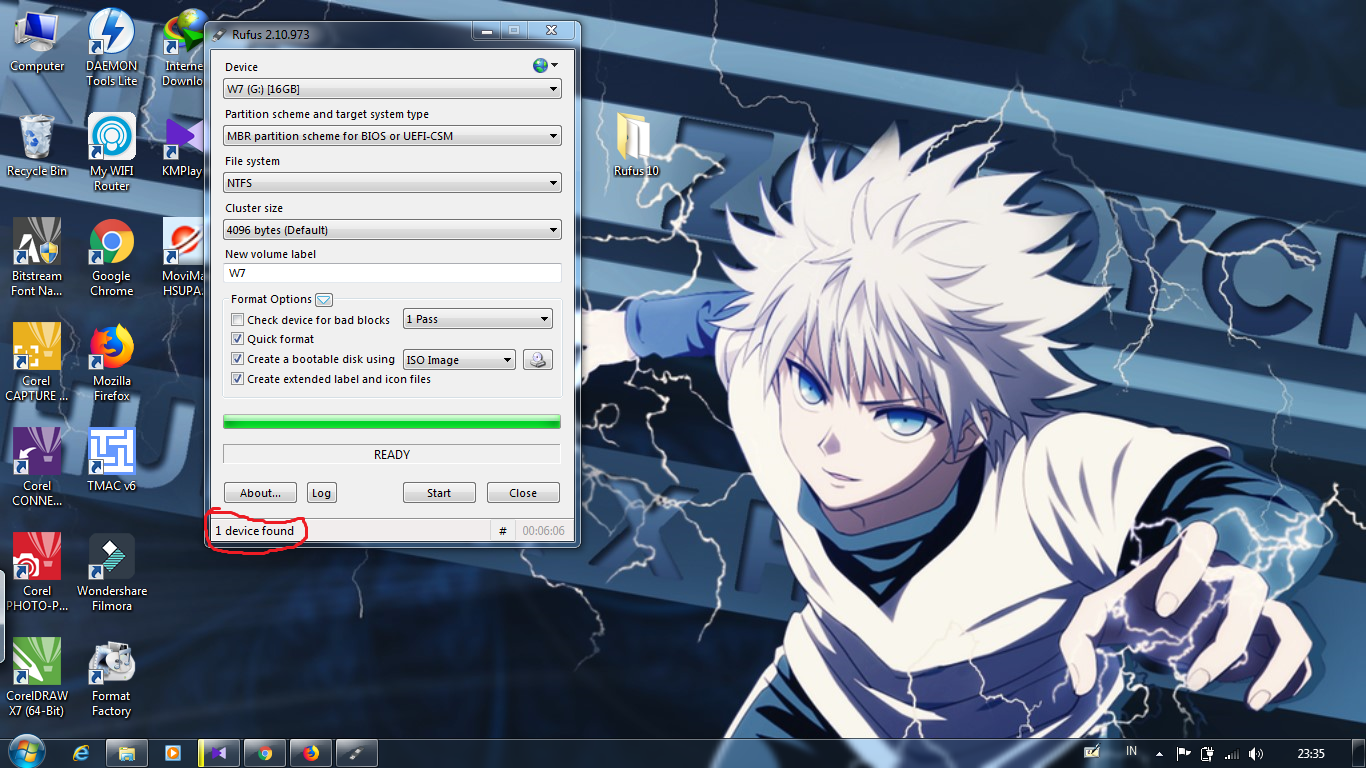
If the display is like the picture below, means the process of making bootable windows 7 Ultimate Sp1 x64 is complete and can be directly used to install Os windows on your computer.
That was a little tutorial from me about making Bootable windosw through rufush.
If anything is unclear can you leave a comment in the comment field.
That is all and thank you.
**GITHUB:** https://github.com/chickenCode/burn2flash
Posted on Utopian.io - Rewarding Open Source Contributors
Mantap How to create a bootable Windows USB using Rufus
thank @emirzafirdaus :D
bgus post nya bro..
Thanks bro @devart
Your contribution cannot be approved yet. See the Utopian Rules. Please edit your contribution to reapply for approval.
You may edit your post here, as shown below:

You can contact us on Discord.
[utopian-moderator]
I fixed it, check again sir.
I fixed it, check again sir.
The repo is still incorrect.