Programming (Part-2)

Before learning C programming, we need to know how the computer works. The computer works exactly the way the brain works. Just as we can see with regard to the eyes or listen with ears, we can think only about our brain. Then, when the brain reaches a discipline, we effect the brain decision with our hands or legs.
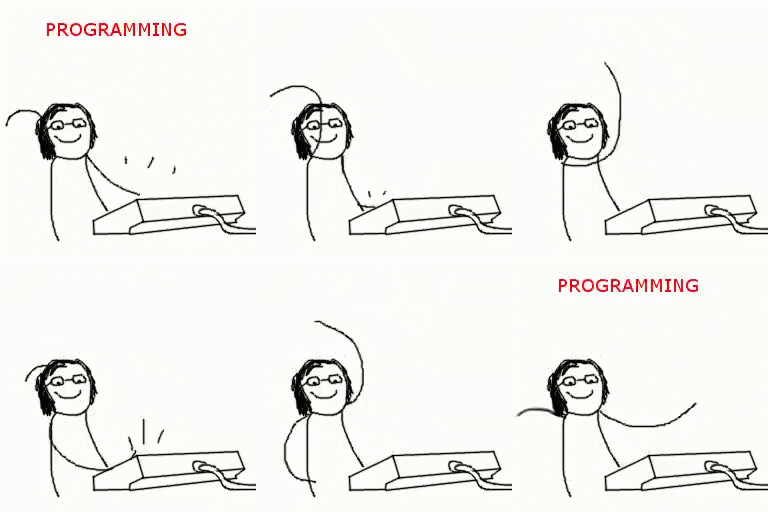
Now let's look at the matter with a computer. Listening with eyes or hearing something with ears means that input is provided. And the decision of the brain is to process. And to solve the work with our own hands is our output. So, any Programming Language from C, even the whole world's work, follows this formula.
Input -> Processing-> output
What is the need of programming language?
I do not know how the computer works. But why programming language?
Programming language is a language that allows computers to work. Although the fact is that the computer only understands nothing except 0 and 1. Should the computer use all the directions 0 and 1? But then writing the program will become very complex.

It is a matter of confidence that in the beginning, using the program only using 0 and 1, but after the release of this problem, every instruction started using the metaphor (eg ADD, SUB, etc). This is called Assembly Language. Along with this, Assembler is a software that converts metaphor instruction into auto machine language.
But there are problems with this assembly language. To write a program here, people who know a lot about the machine can program. So how do I or you?
For our convenience, developers gradually discover a little high level language such as C, C ++, Java etc. so that our machine does not know much about the details.
Structure of C program
C is a mid-level programming language. The main part of the main part is basically three.
1. Header file
2. main () function
3. Others Function.
The C program is composed of one or more functions. Each C program has a user defined function named main (). A small C program can be written as
main ()
{
// C is a case sensitive programming language
}
Say good if you write main () in the place of main (), then your compiler (which C will write in the program) will reboot. Again you will have to do semicolon in some places. If you do not give a semicolon space or if you do not give a semicolon, you will get the error.
As you would like to give instructions inside the main () function, the semicolon must be at the end. Suppose you are trying to print a line. In that case, you have to use the printf () function.
As mentioned earlier, a header file is required to declare C program. The process of declaring header files,
#include <header file>
Many things we know. Now, running a program should start the programming part. You can start C programming with any compiler. Turbo C, codeblocks anything. If you do not have codebalk software on your computer you can easily take it off the net.
http://www.codeblocks.org/downloads
You can go to this address and go to download binariae release and install it.
If code-blocks are installed, open a new project and you see a window like this.

From there click on the Console application and save the location by typing the name of the program and the new window to write the program.
Or you can also open a new project from the file.
The computer only understands nothing except 0 and 1
Now we will write a program. The first C program to write to us!
#include <studio.h>
main ()
{
printf ("I am a C programmer");
)
By typing in the top and clicking on the top green button you can see the program on a separate screen-
I am a C programmer.
This way you can easily write your first program.
Now hold that you want to write two lines. What will you do? Very simple. The printf will be written twice.
#include <studio.h>
main ()
{
printf ("I am a C programmer");
printf ("I am a C programmer");
)
I am a C programmer, I'm a C programmer, there are two line outputs.
But you are looking
I am a C programmer
I'm a C programmer.
In that case you need to add \ naddress to the end of the first line. \ n means new line.
#include <studio.h>
main ()
{
printf ("I am a C programm \ n");
printf ("I am a C programmer");
)
Well, before you connect the second line \ n will you get your desired output? Do not practice yourself ... 😀
In the beginning, the lines will be typed repeatedly without copy paste. And in the next phase, we have come up with some more common topics in C programming. Again, I am going to say that I will try to give some basic concepts of basic programming in Basic C ++, basics, through a few episodes. Through this you can not learn programming. I know. But it also knows that after reading all the episodes, there might be some interest in learning your programming. And if you are interested, you will not learn how fast you will learn programming. 😀
Happy Programming .. 😀

absolutely love what you are doing for the community cheers bud.
thanks for appreciating @jasonkidd
Hope you will connect for further update.
Definitely bro i am a programmer as well but i've totally forgotten C++ now but i know how important it is and this would be a good refresher course for me
If you don't mind please share your opinion about my post.
So in general i just love that you took the time to make the post and i can't thank you enough for it .
I do however think that for a new learner they might have some trouble understanding you , i completely understand what you are trying to teach us because i am familiar with the concept but someone who is new might face some challenges .For eg when you are explaining people how to use "/n " to break lines they might need some visual representation like before everything is being printed on just one line in the console after it is on 2 separate lines.
Maybe adding more screenshots might be helpful or perhaps even doing a video recording might just help but definitely explore more visual means of communication as i believe it would be the best way to express over the internet.
Once again bro absolutely love what you are doing for the community massive respect hope my feedback was helpful.
thanks for your valuable reply.I will concern it in future.
Congratulations @mohammadrasel! You have completed some achievement on Steemit and have been rewarded with new badge(s) :
Click on any badge to view your own Board of Honor on SteemitBoard.
For more information about SteemitBoard, click here
If you no longer want to receive notifications, reply to this comment with the word
STOP@originalworks
The @OriginalWorks bot has determined this post by @mohammadrasel to be original material and upvoted(1.5%) it!
To call @OriginalWorks, simply reply to any post with @originalworks or !originalworks in your message!
thanks @originalworks
good
learn this ... it's very important
thanks for appreciating @rafid
it's very helpful.
Thanks @samantharini
its really nice contain i like tis dear
thanks @saadahsan
pleasure dear
love it
Thanks @angelairen
good post