(Part 1) Ethereum Testing - Getting Started With Testing (PT 1)
Repository
https://github.com/igormuba/EthereumTesting/tree/master/class1
What Will I Learn?
- Basic JavaScript testing syntax
- How to write meaningful tests
- How tests work under the hood
Requirements
- Internet connection.
- Code editor.
- Browser.
Difficulty
- Intermediary.
Tutorial Contents
Introduction
Testing is a very important part of software development. On the other Ethereum development series, we have covered quite some ground with the theory/syntax classes, and practice on the tutorials series on how to build a decentralized exchange.
But we have not done tests. Testing is equally as important as coding, whatever is the language and the technologies you are coding in. So much that there are jobs dedicated just for testing. That is correct, you can get a high paying job just with testing! The catch is, you need to be a great tester, and you need to understand the code as much as the developers, so you can develop insightful and meaningful tests.
There are two ways of testing:
- Black box, which means, test the functionality, as if you were a user. We have done a bit of that on the other tutorials.
- White box, on these tests, we test as developers, looking at the code and the subtle details.
The main tool we will use is Truffle framework. You could implement everything from scratch with solc to compile your code, web3 to interact with the contracts, etc... But why do that when Truffle comes with all those tools?
Starting a Truffle project
We have already done that in other tutorials, but in case you don't want to follow them and just get started with testing, here is a quick guide.
First, install Node.js from their website
Then, you will need Truffle and some local Ethereum testing environment. I recommend Ganache.
Talking about Ganache first, you can get it from this page.
As for Truffle, you just need to type on your console:
sudo npm install truffle -g
This will install the framework globally.
Now, create a directory where you want to start the project, and inside the directory:
truffle init
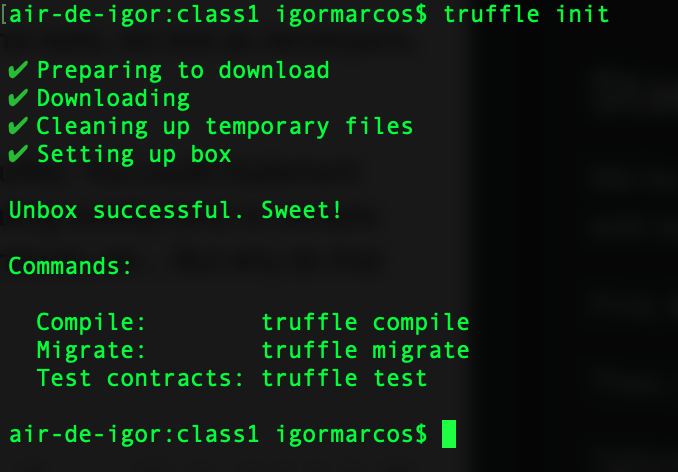
Note: depending on where you create it or your operating system you will need to do use sudo.
The token contract
The contracts should go inside the contracts folder.
For this test, I will use a simple token contract. The code below does not fit in any standard, has not security and prints infinite tokens, but that is exactly why I want to use it for the tests:
pragma solidity ^0.5.0;

contract token{
//mapping of balances of users
    mapping (address => uint) balances;

//calling this will give 10 tokens for free to the caller
    function generateTokens() public{
        balances[msg.sender]+=10;
    }

//calling this will transfer tokens
//notice this does not have any overflow/underflow check!
    function transfer(address _receiver, uint _amount) public{
        balances[msg.sender]-=_amount;
        balances[_receiver]+=_amount;
    }

//returns the balance of someone
    function getBalance(address _owner)public view returns(uint){
        return balances[_owner];
    }
}
The fact that this contract does not have any underflow verification is why I want to use it to do the testing. You will see soon how does it work.
Now, on the migrations folder create the file 2_initial_migration.js to tell Truffle how to deploy the contract:
//instance of the contract
var Token = artifacts.require("./token.sol");

//exports to Ganache
module.exports = function(deployer) {
  deployer.deploy(Token);
};
Network
The last step before we really get into testing is to start our Ganache local Ethereum network and input the data from it into Truffle.
To do that, assuming you have already installed Ganache, like taught on a previous section, open the software and look for this information:

On the Truffle project folder, find the file truffle-config.js and uncomment the following:
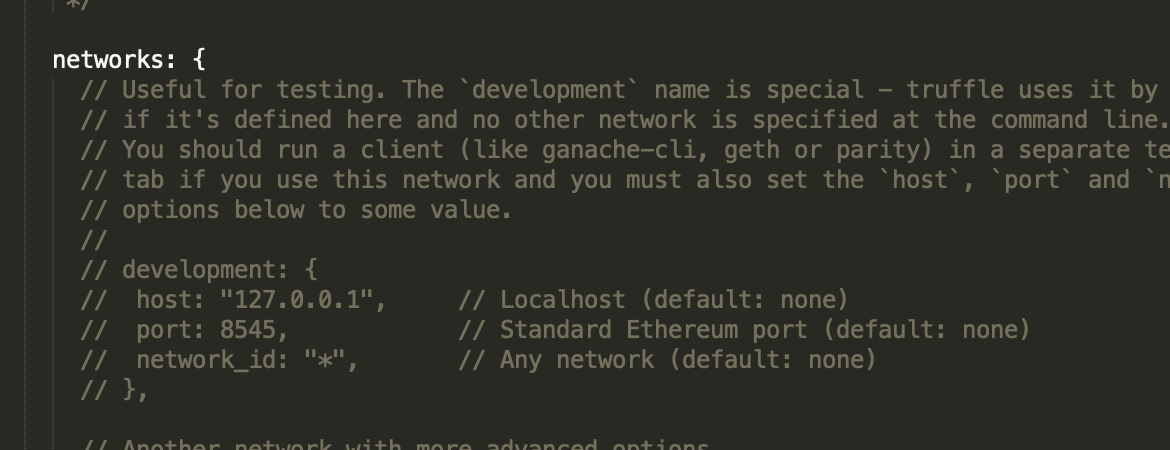
Into:
development: {
      host: "127.0.0.1",
      port: 8545,  // default Ganache port is 7545
      network_id: "*",
     },
Notice that my Ganache port is 8545, but the default is 7545. Make sure you match the port on the code with the port on Ganache.
Compile
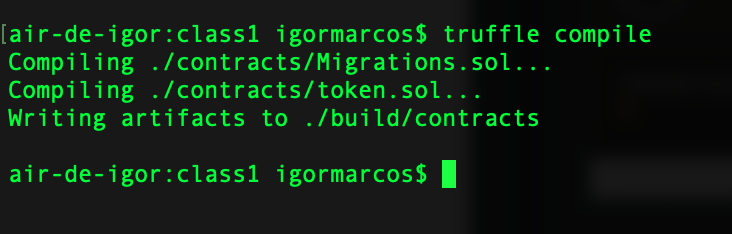
To compile, just type on the console, inside the root of the Truffle project folder:
truffle compile
The first test
The simples test we can make on this contract is to:
- Call the function to give us 10 tokens
- Check if we have 10 tokens
The structure of the test looks like this:
//loads the token, just like on the migrations
const Token = artifacts.require("token");

//tests for the contract token
contract("Token", accounts =>{
//The tests go here!
});
Inside the contract, between the brackets, we insert the test cases, called "it".
The first test, then, looks like:
it("should have 10 tokens", ()=>

);
And after the arrow => we deploy the token and execute the functions:
Token.deployed().then(instance=>{
    instance.generateTokens();
    return instance.getBalance(accounts[0]);
}).then(balance =>{
    assert.equal(balance.valueOf(), 10, "10 wasn't in the first account");
})
Sounds scary if you have never done that before. But here is how it works:
Token.deployed() returns the instance of the deployed token. We save the returned instance on instance inside the .then. What the .then does is, it waits for the response of what comes before it.
Here is some didactic code, not used anywhere, just for better understanding:
doSomething().then(returnedVariable=>{
    console.log(returnedVariable);
})
So, let us say doSomething returns a string, that THEN is stored in the returnedVariable, and the code after the arrow is executed under that scope.
So, back to the real code. With
instance.generateTokens();
return instance.getBalance(accounts[0]);
We call the generateTokens function that gives 10 tokens to the caller. Then explicitly returns the balance of the account zero, which by default is the one used to execute the tests.
THEN: the code .then(balance =>{ grabs the returned value and pass to the shop of what comes next saved under the variable called balance.
Inside there, we use a few functions to ensure that the result is as expected. You can read that as:
assert.equal(returned value, expected value, "if test fails, this is the message returned");
Moment of truth
To run the tests, save everything and run on the terminal:
truffle test
This is a rare moment when your tests work. You should see something like:
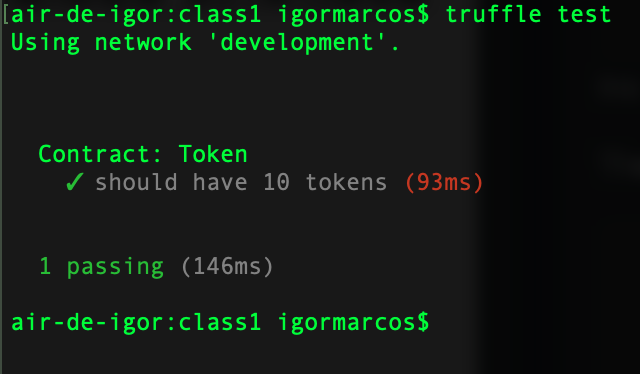
But in real life, you are expected to find tons of errors. And that is ok, that is exactly the job of the tester. The more errors you find, the better for you (developers hate testers hehe).
I will edit the test so that it throws an error if the balance is not equal to 20:
assert.equal(balance.valueOf(), 20, "20 wasn't in the first account");
And after saving and running the tests, we get the following error:
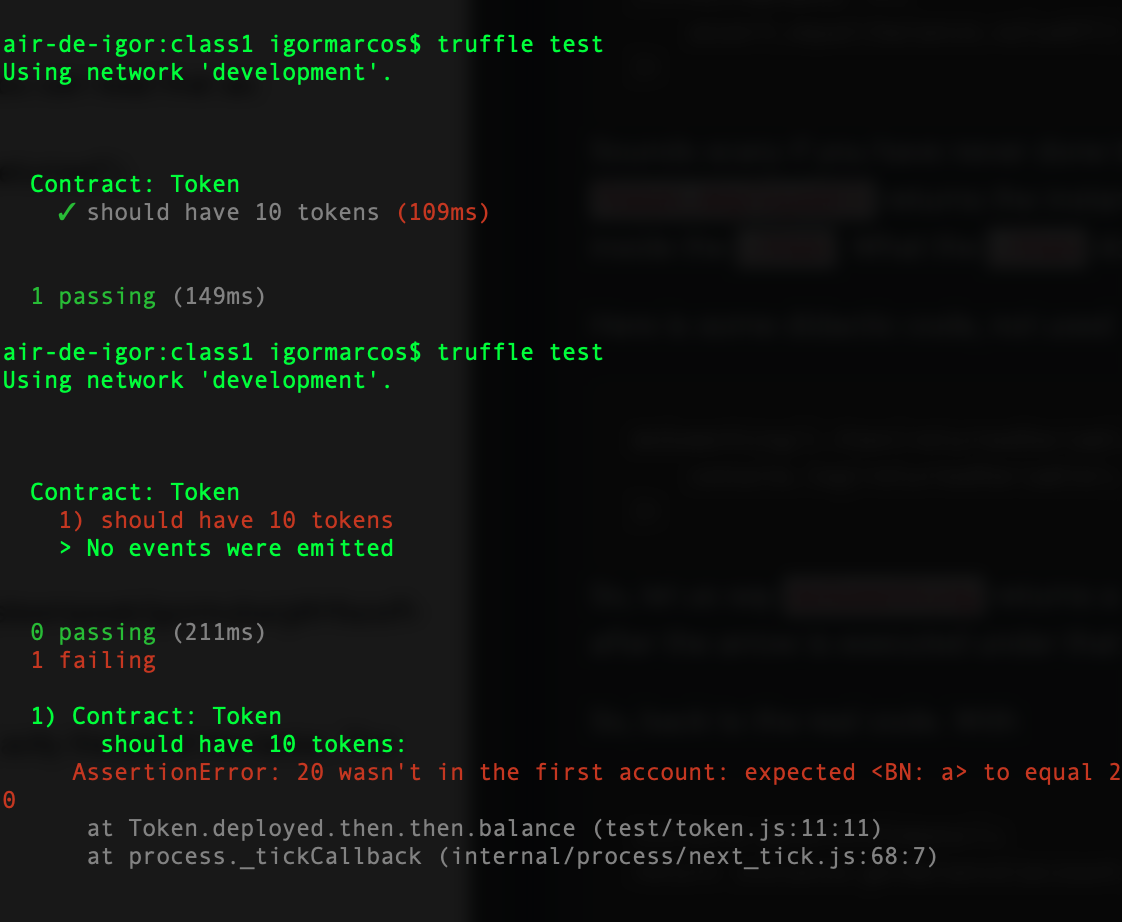
Notice there are two tests on the screenshot above. The one on the upside is the one that worked fine. The one below is the one that failed.
With this test you can also notice something:
The contract states are not saved between runs. So, even though we ran 2 tests, and we gave 10 tokens to the same person twice, the second one failed because the state from the first run was lost after the test finished.
So, you can take from this that deployment and tests are not the same things. You can do very in-depth tests without worrying about "breaking" the contract" because the deployment will be another very different contract with no relation to the ones deployed to test.
Also, notice that testing does use the blockchain.
After running all the tests, my Ganache has used almost 40 blocks!

So, it makes no sense to do tests on the real Ethereum blockchain. Some contracts can be huge and expensive, like the decentralized exchange I have built on another series, that one can cost up to 20 dollars to deploy! It would cost hundreds, maybe thousands, to test!
So, absolutely, you should test only on local testing environments, both for performance and for saving some gas!
Beneficiaries
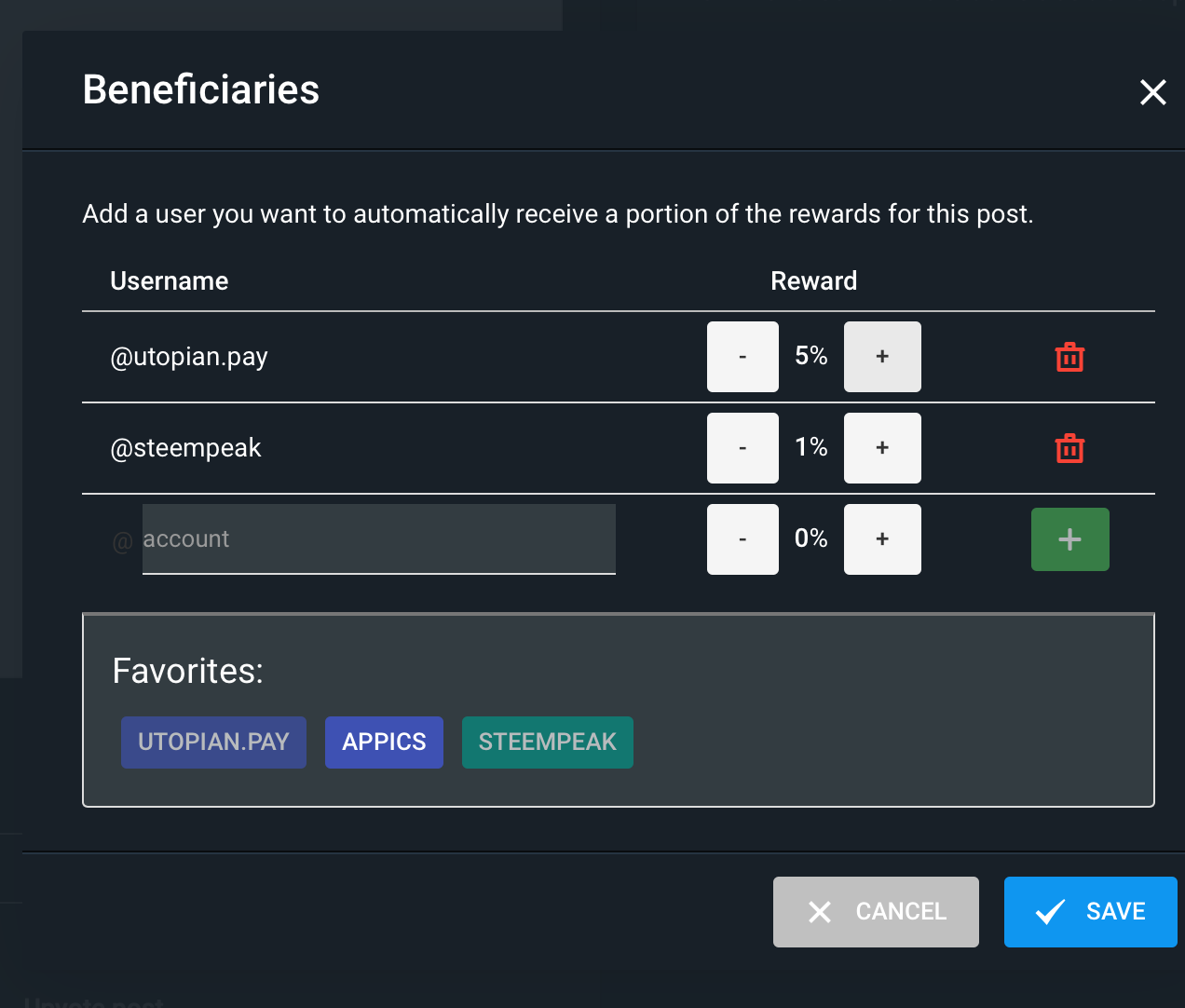
This post has as beneficiaries
- @utopian.pay with 5%
- @steempeak with 1%
using the SteemPeak beneficiary tool
Thank you for your contribution @igormuba.
After reviewing your tutorial, we suggest only one point listed below:
Excellent work on developing this tutorial. Thank you and good work.
Looking forward to your upcoming tutorials.
Your contribution has been evaluated according to Utopian policies and guidelines, as well as a predefined set of questions pertaining to the category.
To view those questions and the relevant answers related to your post, click here.
Need help? Chat with us on Discord.
[utopian-moderator]
Hi, thank you for the suggestion. GIF? How exactly a GIF? I didn't understand exactly the purpose you imagine for that, but I am open to try if I understand better.
Thank you for your work.
Thank you for your review, @portugalcoin! Keep up the good work!
Hi, @igormuba!
You just got a 0.22% upvote from SteemPlus!
To get higher upvotes, earn more SteemPlus Points (SPP). On your Steemit wallet, check your SPP balance and click on "How to earn SPP?" to find out all the ways to earn.
If you're not using SteemPlus yet, please check our last posts in here to see the many ways in which SteemPlus can improve your Steem experience on Steemit and Busy.
Congratulations! Your post has been selected as a daily Steemit truffle! It is listed on rank 7 of all contributions awarded today. You can find the TOP DAILY TRUFFLE PICKS HERE.
I upvoted your contribution because to my mind your post is at least 7 SBD worth and should receive 100 votes. It's now up to the lovely Steemit community to make this come true.
I am
TrufflePig, an Artificial Intelligence Bot that helps minnows and content curators using Machine Learning. If you are curious how I select content, you can find an explanation here!Have a nice day and sincerely yours,

TrufflePigHi @igormuba!
Your post was upvoted by @steem-ua, new Steem dApp, using UserAuthority for algorithmic post curation!
Your post is eligible for our upvote, thanks to our collaboration with @utopian-io!
Feel free to join our @steem-ua Discord server
Hey, @igormuba!
Thanks for contributing on Utopian.
We’re already looking forward to your next contribution!
Get higher incentives and support Utopian.io!
Simply set @utopian.pay as a 5% (or higher) payout beneficiary on your contribution post (via SteemPlus or Steeditor).
Want to chat? Join us on Discord https://discord.gg/h52nFrV.
Vote for Utopian Witness!