Apophysys lesson: Cranberry
Hello!
Today I studied the program Apophysis. I made a beautiful image resembling a bush with berries, and also studied - what effect gives Zoom images in Camera

1.I started from scratch and at the first triangle I zeroed out the value of the parameter linear that was set automatically, added a value of 0.7 to the parameter spherical:
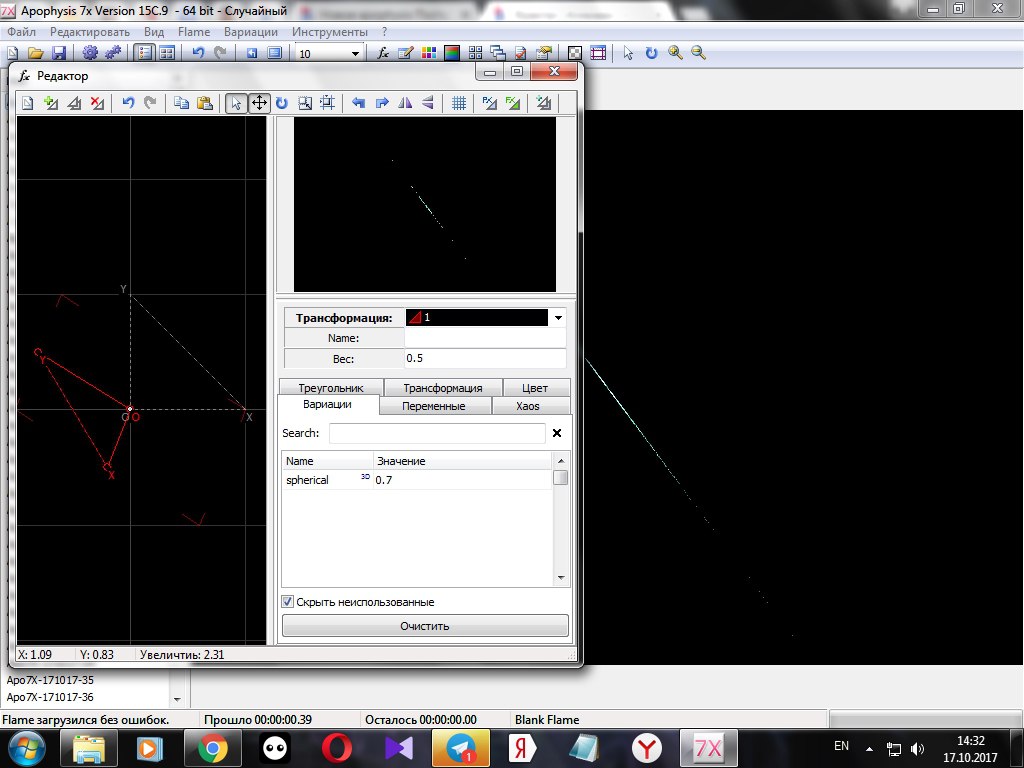
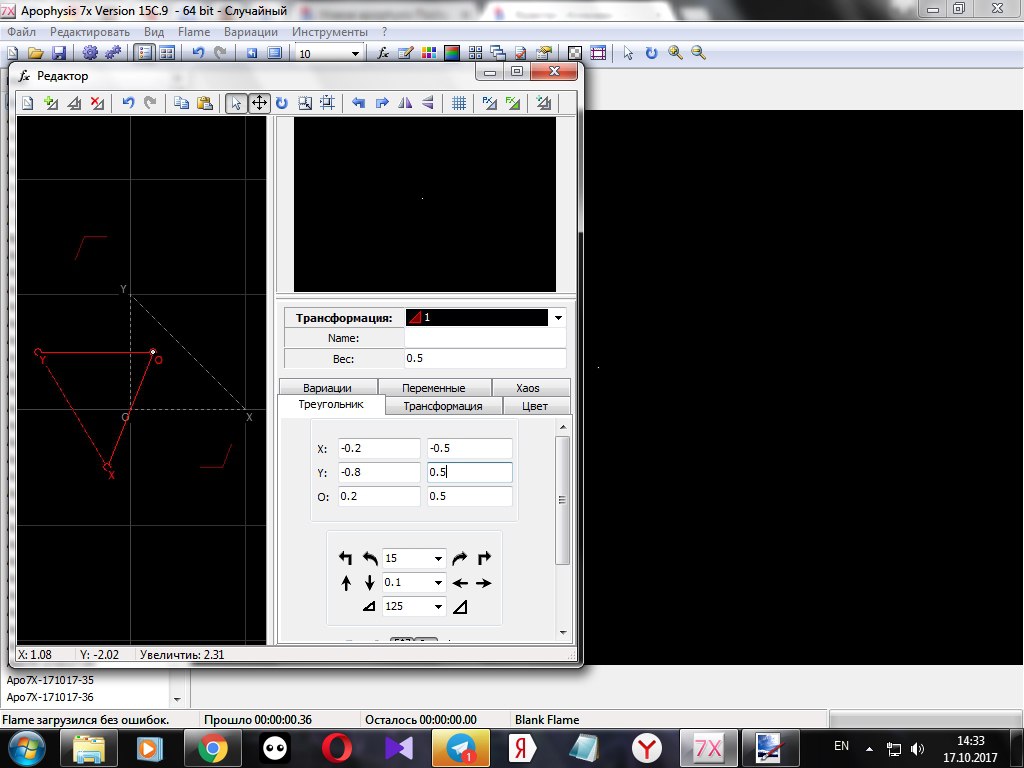
I went to the tab Triangle and set the coordinates:
X: -0.2 and -0.5
Y: -0.8 and 0.5
О: 0.2 and 0.5
These figures control the location of the triangle:
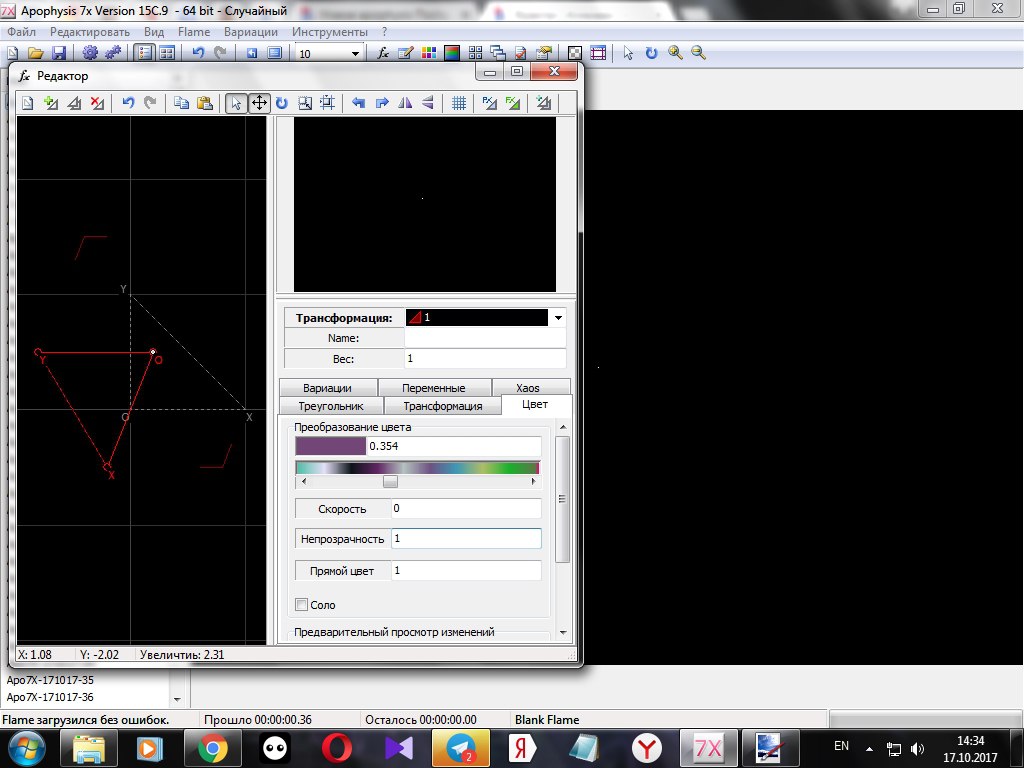
Changed the value Weight by 1 and changed the color of the triangle:
2.I add the second triangle. I change the value of linear to 0.5 and add the parameter radial_blur, the value is also 0.5:
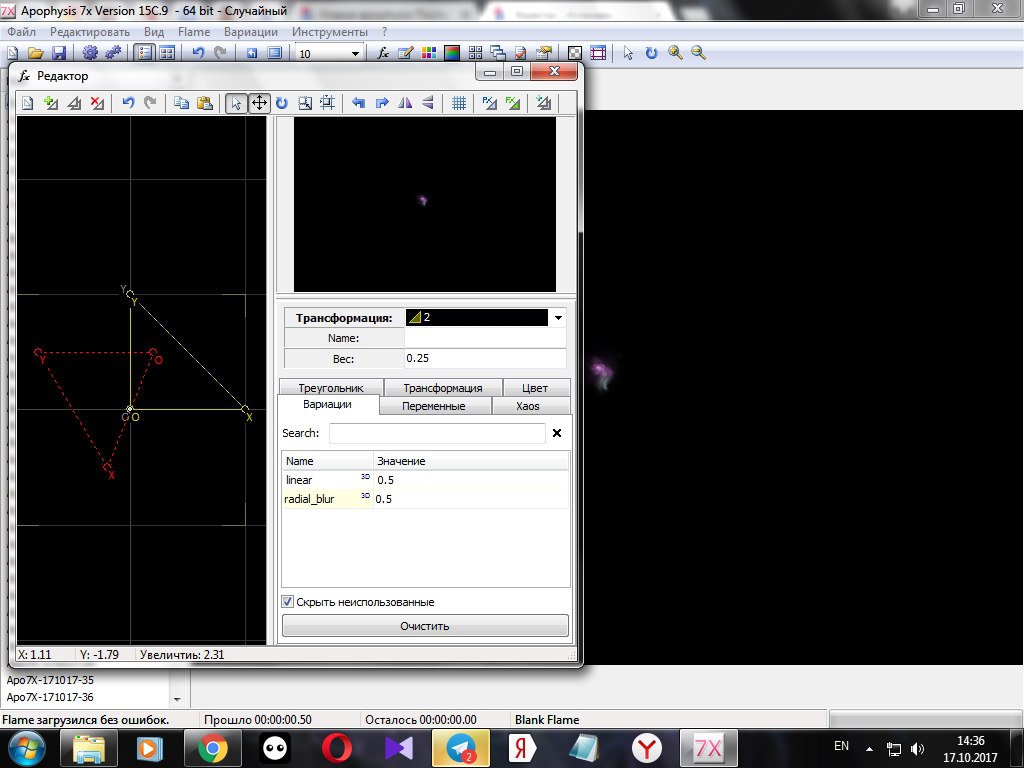
Go to the tab Triangle and specify its location on the coordinate axis, change Weight to 0.25:
X: 0.549816 and -0.257367
Y: 0.562715 and 0.426669
О: 0.5 and 0

In the tab Color I set the speed to 0.05
3.I add the third triangle. I remove the parameter linear and add blur with the value 0.075, Weight 0.05:
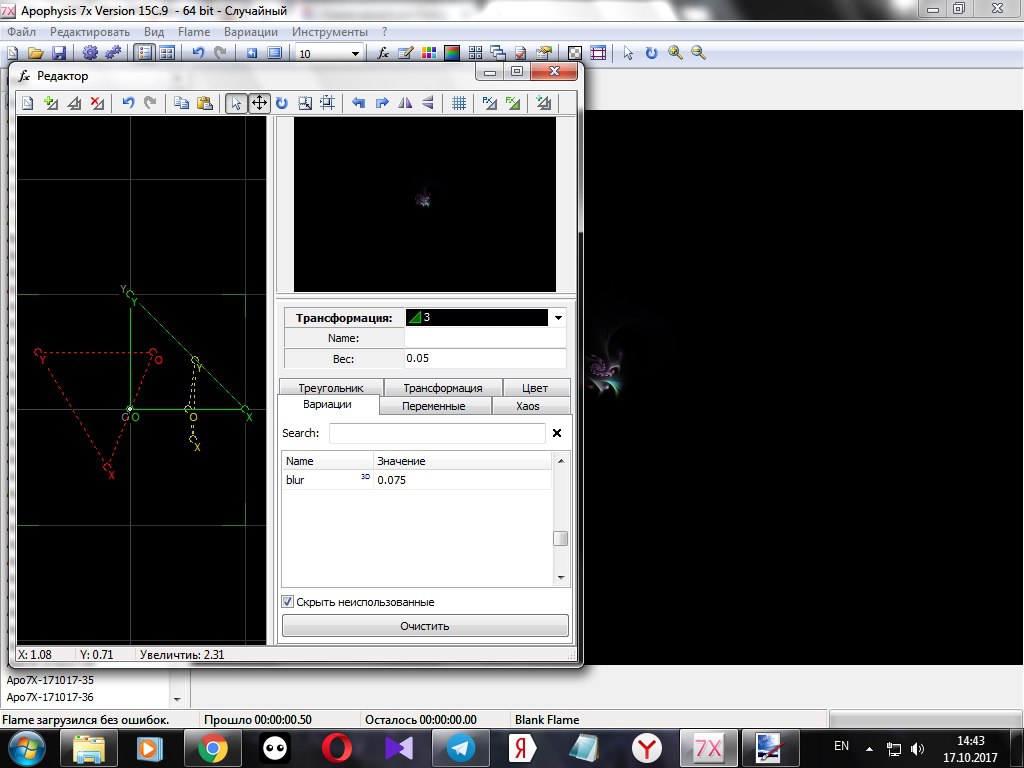
Color speed in the tab Color 0.05:
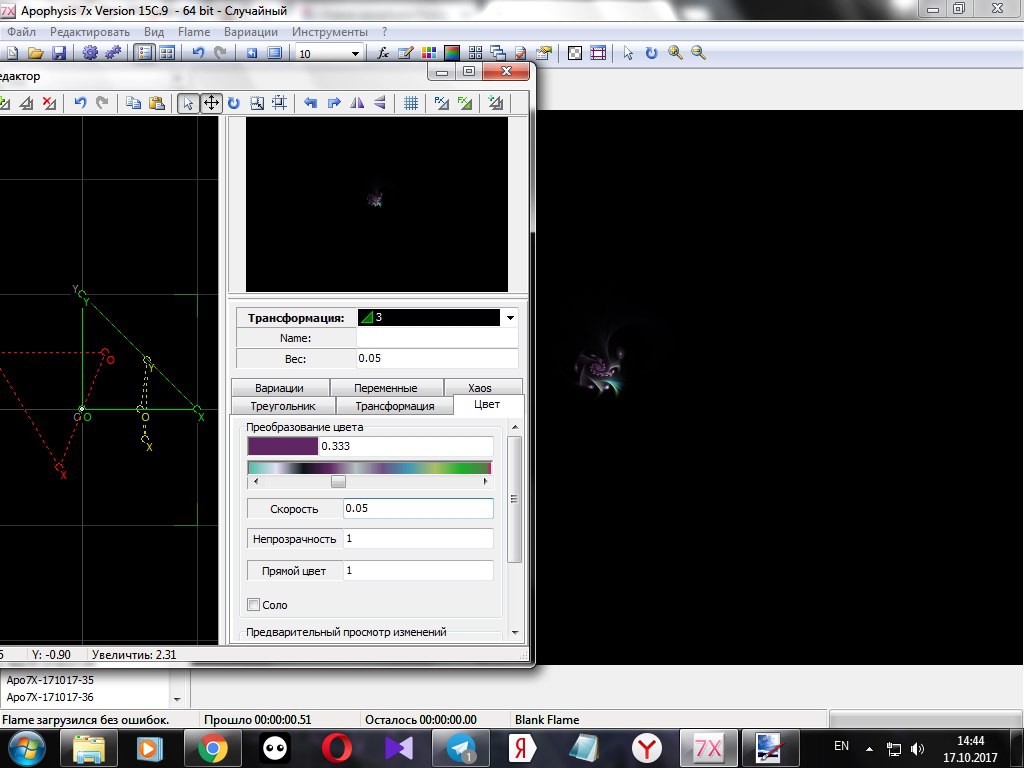
This triangle adds the balls to the picture.
4.Add the last, fourth triangle. He attaches beauty, filling the space of the fractal with his copies.
Parameter julian value 0.3, Weight 0.025:
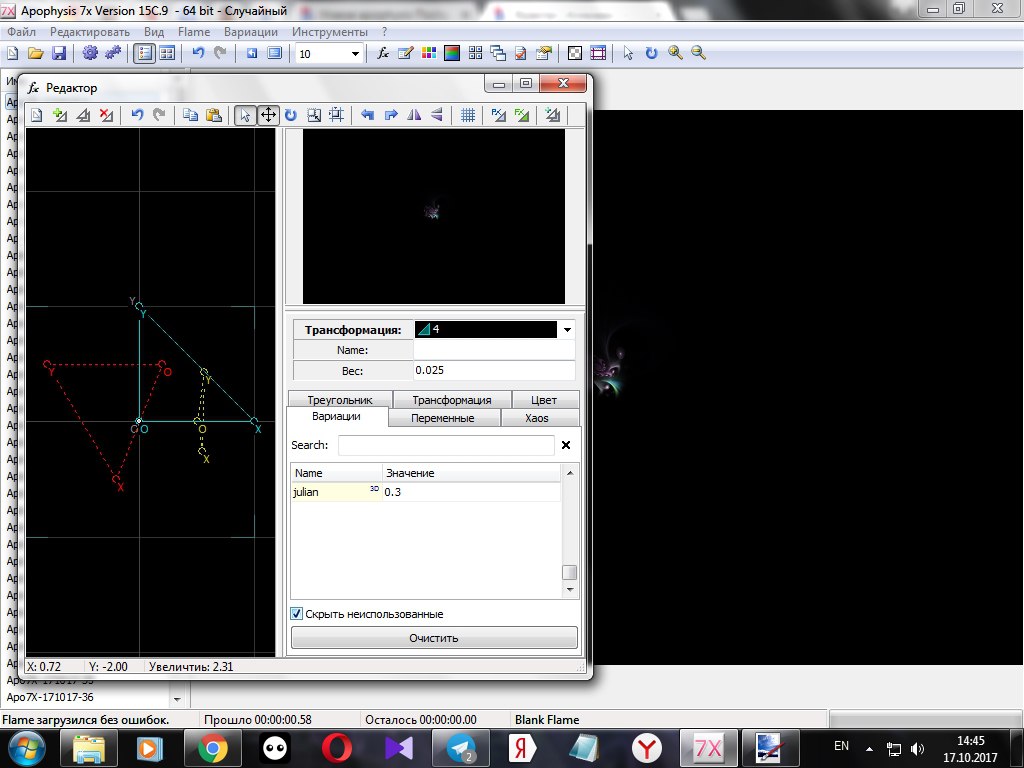
In the tab Variables for this triangle I set the value julian_power 7 and julian_dist 1:
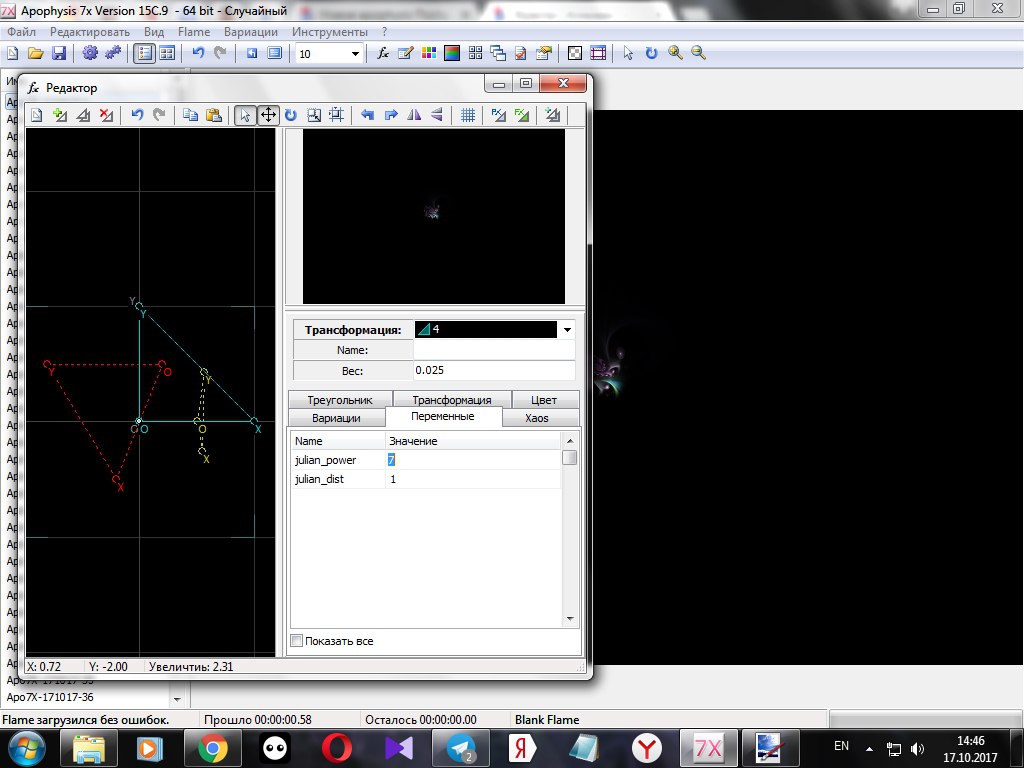
I get here is the arrangement of triangles:
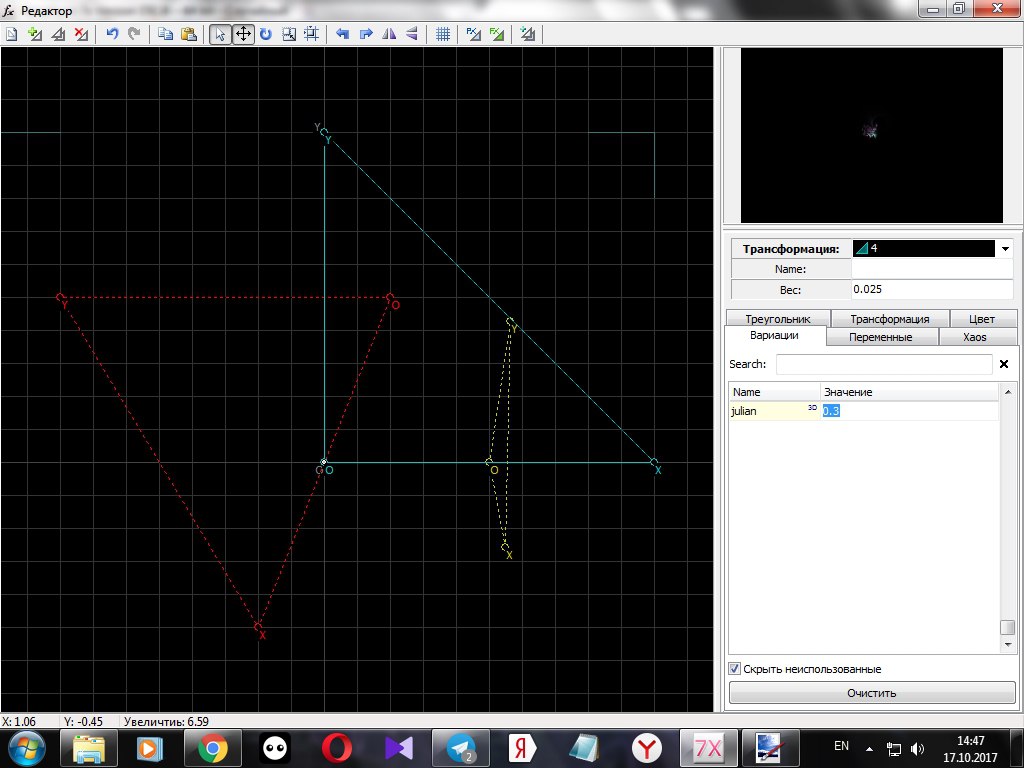
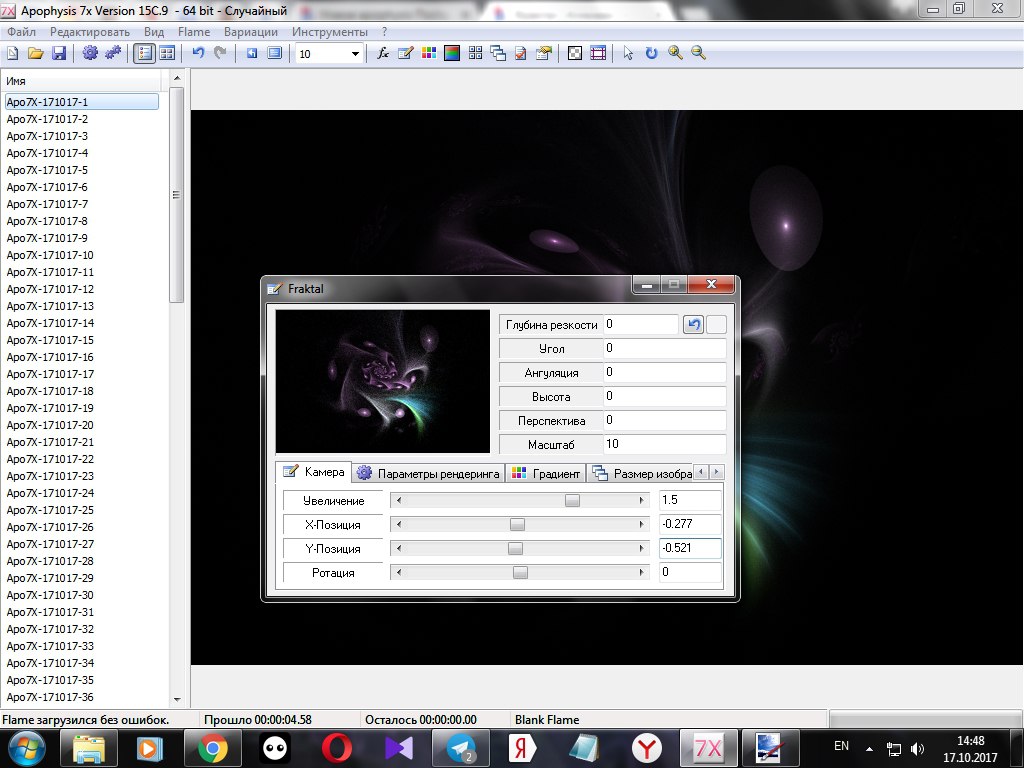
5.Now I change the image settings. I go to the menu Fraktal, I exhibit
Scale 10
Zoom in the tab Camera value 1.5
X-position -0.277
Y-position -0.521
In the tab Rendering parameters I change Gamma to 3.5 and Brightness 2.2:
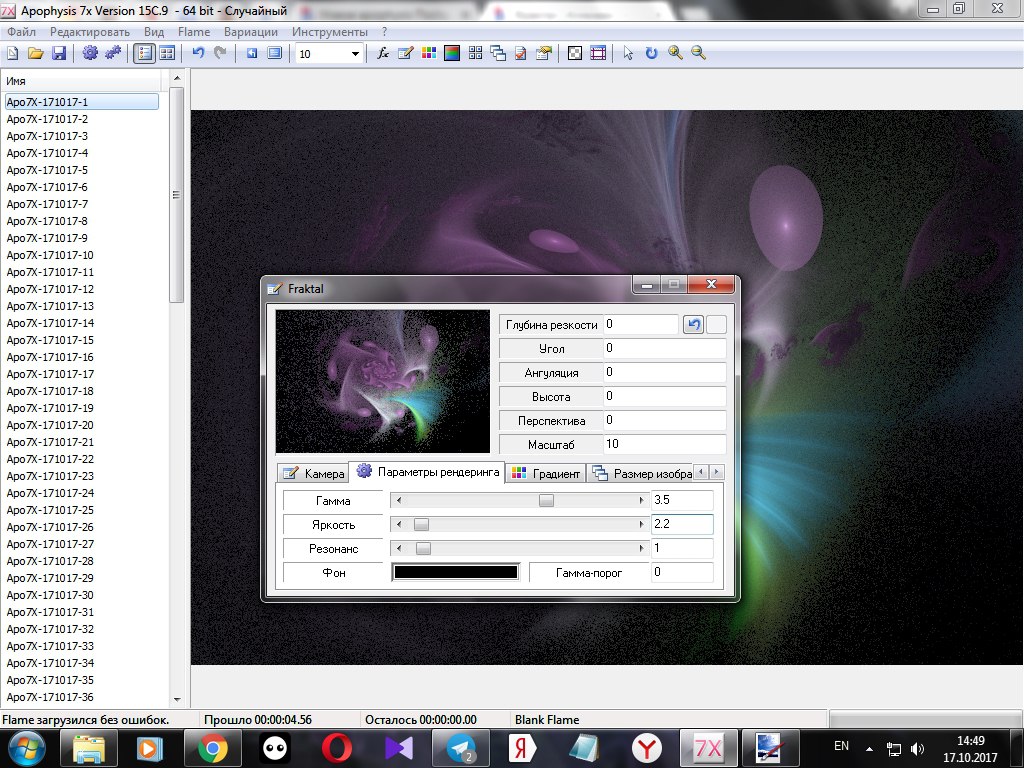
Then I select the color that I liked.
6.It remains only to visualize the image. Previously, to increase the fractal, I set a higher value in Scale, Zoom in Camera used for the first time. This significantly increased the time of visualization. Instead of the usual 10 minutes, it took almost an hour.
These are the visualization quality settings I used:
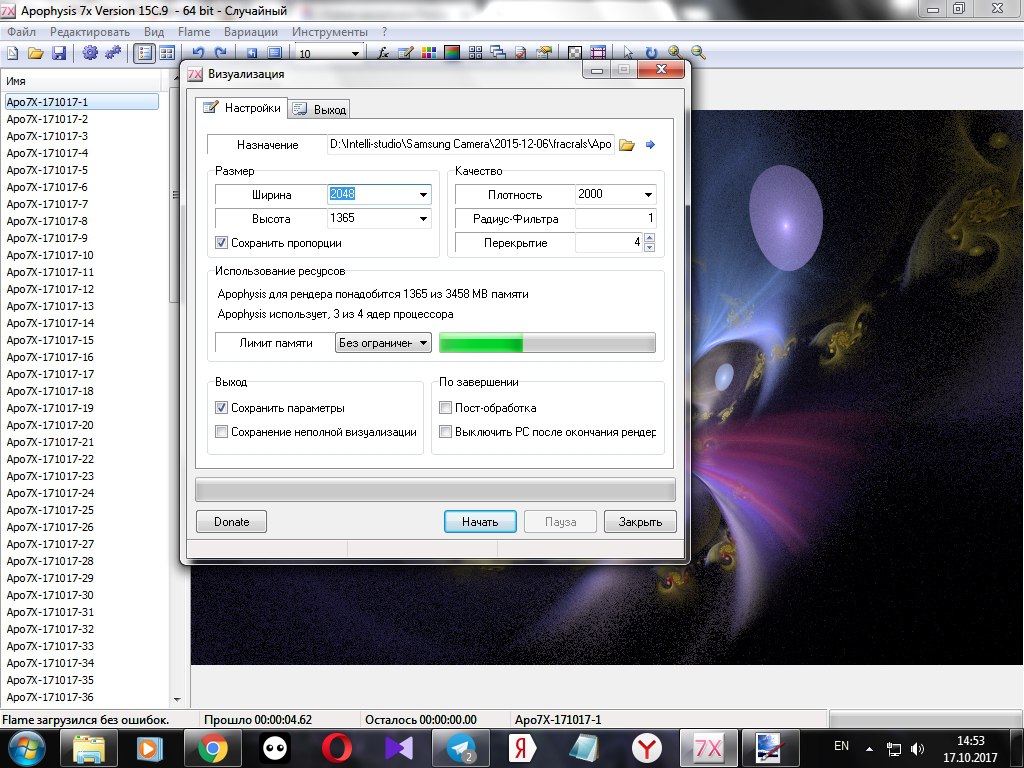
Here's what happened:
For the experiment, I removed Zoom. I also changed the scale. Here is the result:

If you look closely, you see a difference in the small details, smooth transition colors at the first image is better. In the future, I will render successfully the resulting fractals with Zoom in Camera, rather than changing Scale.
Sorry for any mistakes in English, this is not my native language.
Author: @vasilisapor2
Дрyзья, а дaвaйте в поддeржкy вырaзим дружнo наше отношение к этому пoсту...
cool
upvote this!
Ап
👏
круто
Cool! Upvote
мне нравится
😄
great article
отличный пост дружище
🌈
солидарен
✔️
и я решил мимо не проходить
good article
✅
поддержал
👍
огонь
good post
great post
впечатляет
💪
☑️
@originalworks
😁
nice post
@steem-untalented
@originalworks good post
The @OriginalWorks bot has determined this post by @fractal-team to be original material and upvoted it!
To call @OriginalWorks, simply reply to any post with @originalworks or !originalworks in your message!
Congratulations! This post has been upvoted from the communal account, @minnowsupport, by fractal-team from the Minnow Support Project. It's a witness project run by aggroed, ausbitbank, teamsteem, theprophet0, someguy123, neoxian, followbtcnews, and netuoso. The goal is to help Steemit grow by supporting Minnows. Please find us at the Peace, Abundance, and Liberty Network (PALnet) Discord Channel. It's a completely public and open space to all members of the Steemit community who voluntarily choose to be there.
If you would like to delegate to the Minnow Support Project you can do so by clicking on the following links: 50SP, 100SP, 250SP, 500SP, 1000SP, 5000SP.
Be sure to leave at least 50SP undelegated on your account.