Parenting made easier with technology
Every child nowadays owns a smartphone. Kids are growing more tech-savvy, and when they use the Internet, download applications, and text with Fred on their phones, mobile devices feel like toys in their hands.
Without a doubt, the Internet, apps, and WhatsApp are excellent sources of information. However, protecting children from the internet's dark shadow might be challenging. In addition, internet predators and pornographic materials may pose a harm to them. Aside from that, purchasing apps and games can result in large expenses.
No one can stop youngsters from utilising electronic gadgets, online entertainment, or the internet these days. Phones have become such an integral part of a child's education and growth that you can no longer take it away from them.
Parenting has become a difficult task, but avoiding the topic or excluding technology from your children's lives will not aid their development.
So, what are your plans now? Here are two options for ensuring that your children are safe when using an Android device.
You can create a new user account with Android OS version 4.2 or higher. This means you can set up separate accounts for yourself and your children.
You can only create a new user account in Android Lollipop smartphones, and you can't apply any limits to it.
However, there is a very handy function for all parents in the case of Android 5.0 Lollipop tablets. You can establish a restricted user profile on a tablet by going to the users settings and selecting "Add user or profile."
Another option is to use one of the many apps available on the Play Store to regulate and monitor the behaviour of your family or children on their Android smartphone. However, if you want more and better features, you will have to pay more money. Because many good apps are not free, you can use them for a 15-day trial period.
However, I have specifically discovered free apps for you that will allow you to monitor and regulate your children's activities.
Parental Control with Kids Place:
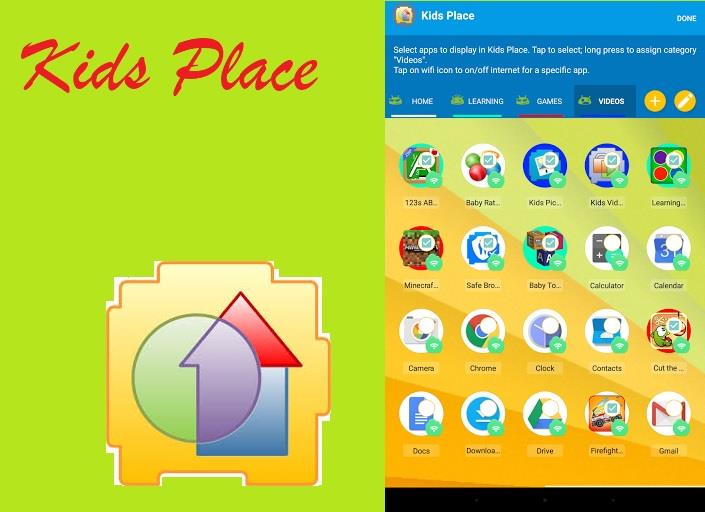
This software has parental control and child lock features that secure your personal information and limit the apps available to children. In this section, list the apps that you want to enable your children to use. Only those apps will appear on its personalised screen, and other apps will be restricted from downloading, making calls, sending text messages, and other potentially costly tasks.
Its timer feature closes the kids' area once the chosen amount of time has passed. You can also disable incoming calls and WiFi signal when Kids Place is active in this.
Kids can have a good time at Kids Place, while parents may relax and enjoy their free time.
This post has received a 30.44 % upvote from @boomerang.